2024
·
BrieflyAI
BrieflySuccess
AI-Driven CRM Intelligence for Sales and CS Teams
A focused pivot, a standalone product that turned post-call data into structured account intelligence, automatically pushed into Salesforce and HubSpot.
ROLE: Lead Product Designer
TEAM: 3 co-founders · 2 engineers · 1 designer
The Project
BrieflyAI started as an AI meeting assistant. It was useful, summaries, transcripts, action items. But the founders identified a more specific and more valuable problem: sales reps and customer success managers spending significant time after every call manually updating their CRM. Logging notes. Filling fields. Writing account summaries from memory.
BrieflySuccess was built to automate that entirely.
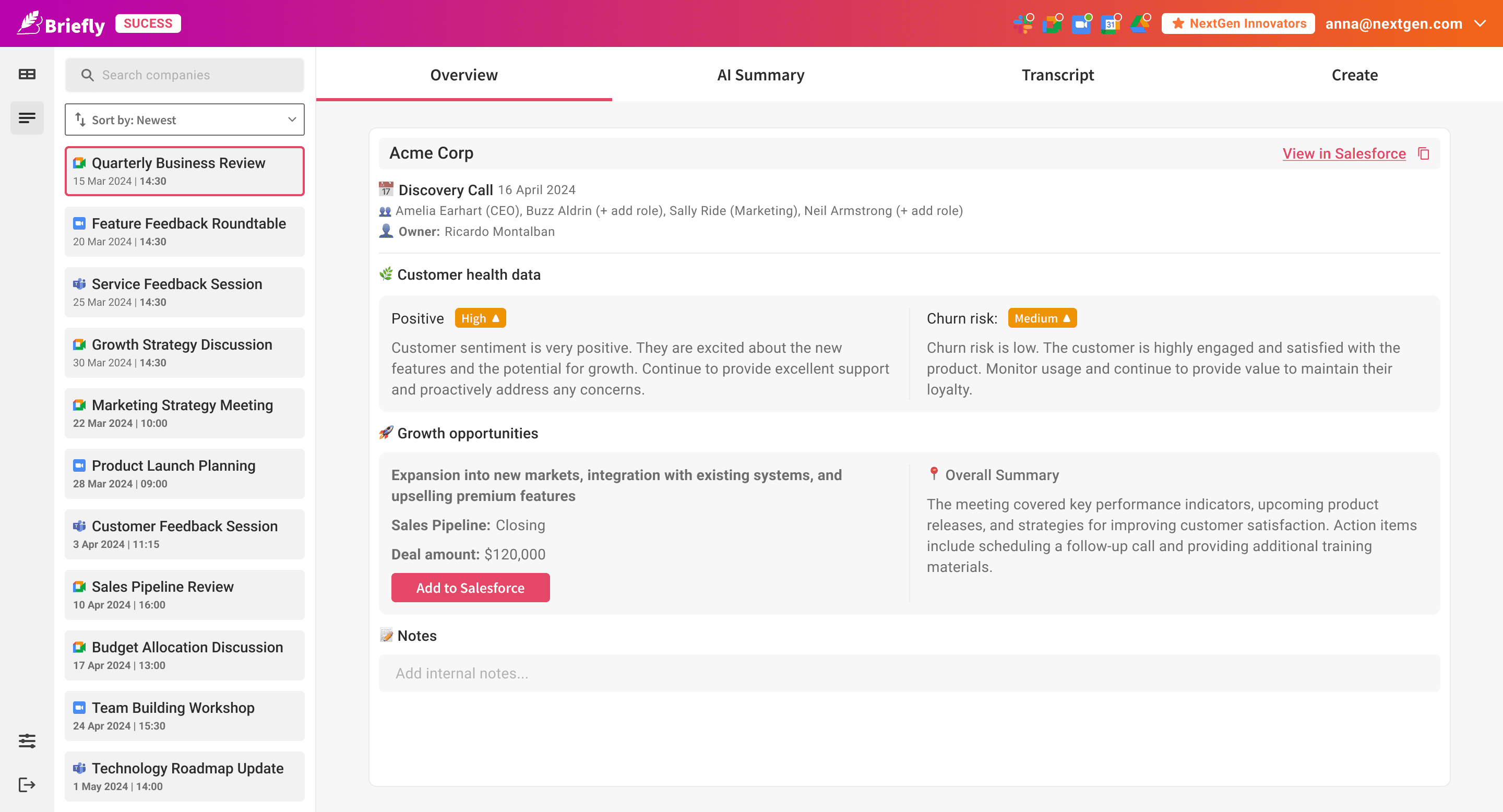
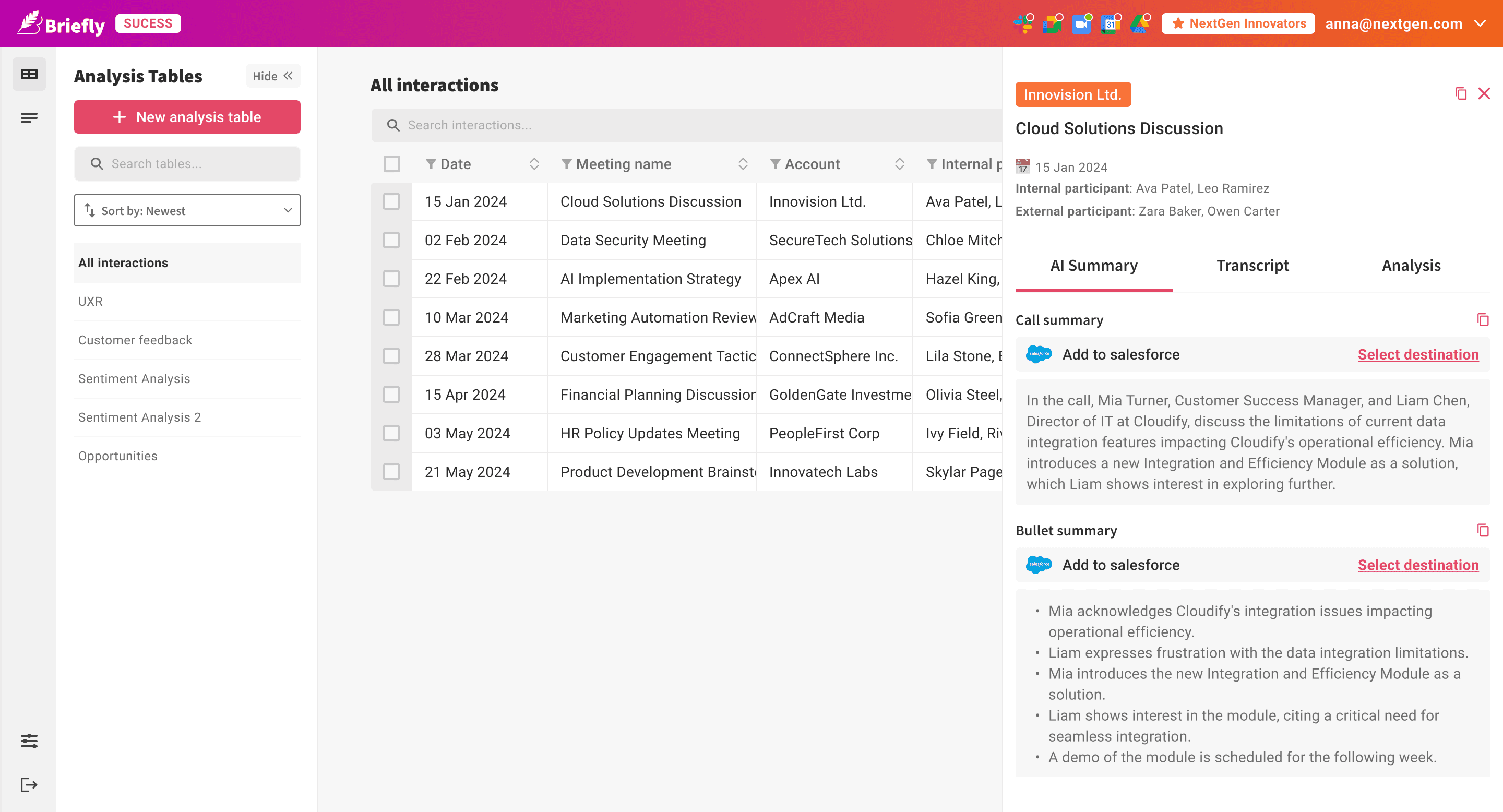
The product has two core areas. The call list gives teams a structured view of every conversation, with AI-generated account health, churn risk signals, growth opportunities, and a direct link into Salesforce. The analysis tables let teams go further: defining custom AI prompts that run across every call, pulling whatever data matters to their specific workflow, and mapping results directly to CRM fields.
No manual logging. No copy-pasting. The CRM keeps itself updated.

What I Owned
As sole designer, I owned the full product:
End-to-end UX and UI: call list, overview dashboard, analysis tables, prompt management, CRM integration
Onboarding: a structured setup flow for creating analysis tables without needing to understand prompt engineering
Template system: pre-built tables for common use cases so users could start immediately
Design system extension: adapted from BrieflyAI's system for the higher data density of an enterprise-facing product
Stakeholder collaboration: translating a complex, evolving founders' vision into a shippable design
The Challenge
The core idea of BrieflySuccess is straightforward: after a call, the AI answers questions you define. Want to know what feature requests came up? Add a column. Want to track sentiment across every account? Add a column. Want to pull the decision-maker's name and push it to a Salesforce field? Add a column.
That flexibility was the founders' vision. It was also the hardest design problem on the project.
A table where every column is a custom AI prompt, written by a sales rep, not a data scientist, has no clean precedent in enterprise UX. How do you help someone write a useful prompt when they've never written one? How do you show which columns are connected to CRM fields and which aren't? How do you keep the table readable as columns multiply?
And the product had to feel fast. Sales reps finishing a call don't have patience for complexity. If setup took too long, they'd go back to doing it manually.
The Call List
Every Call, in One Place
The left-hand navigation switches between two modes: the call list and the analysis tables.
In the call list, every recorded call appears as a card, title, source logo (Zoom, Google Meet, or Teams), date and time. The list is searchable and sortable. Clicking any call opens the detail view on the right.
The Call Detail | Four Tabs
What a Single Call Tells You About an Account
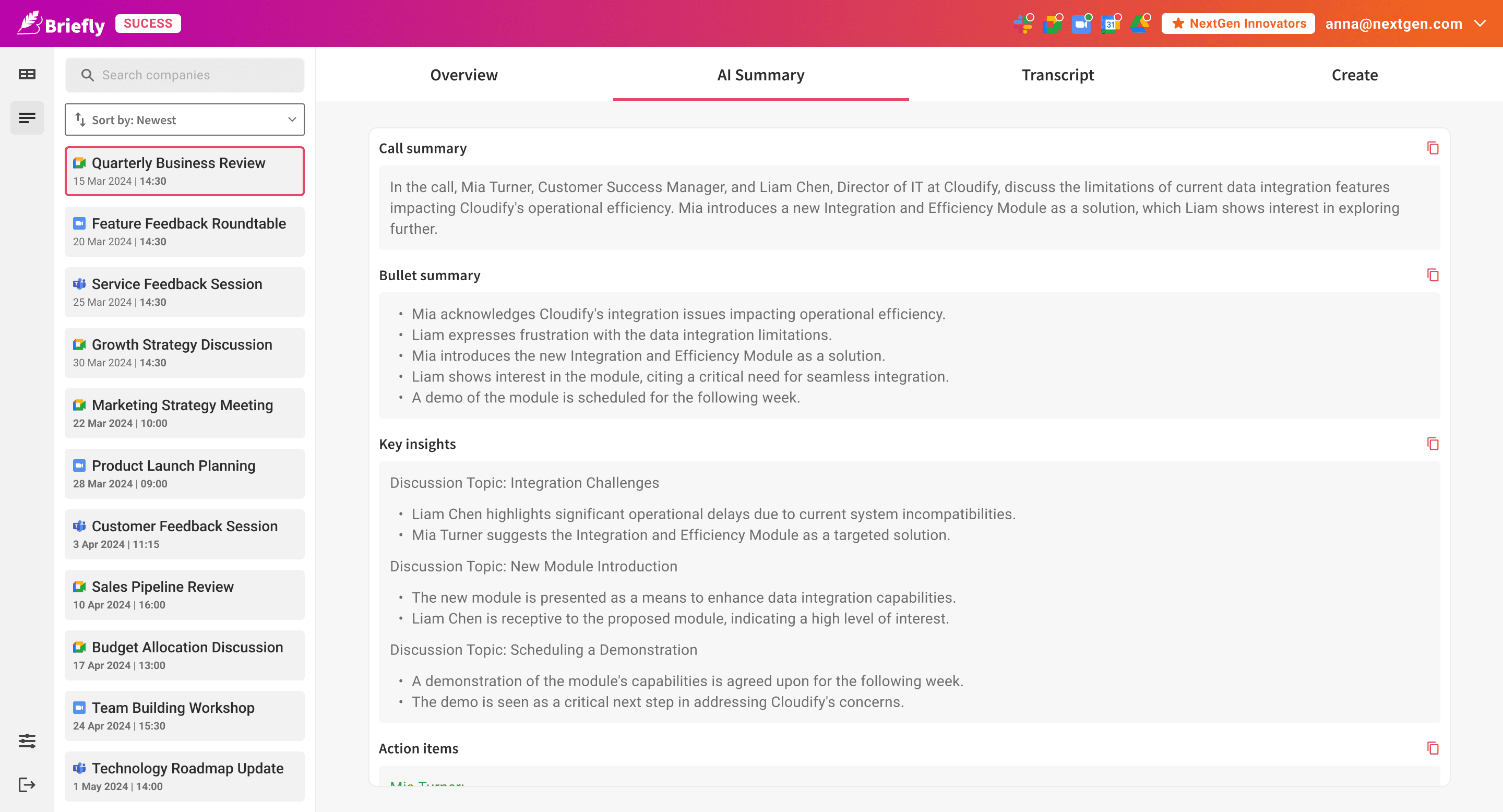
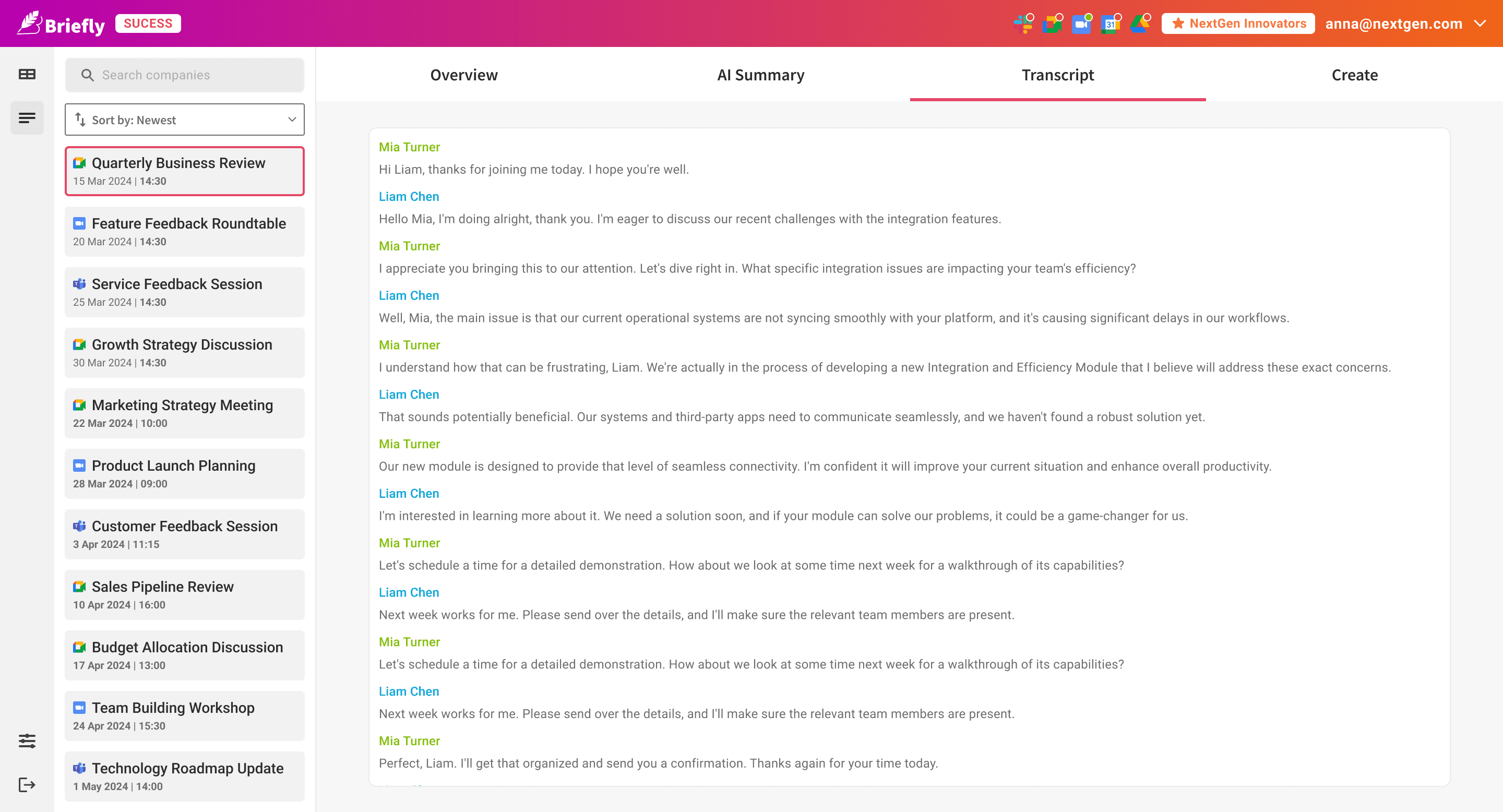
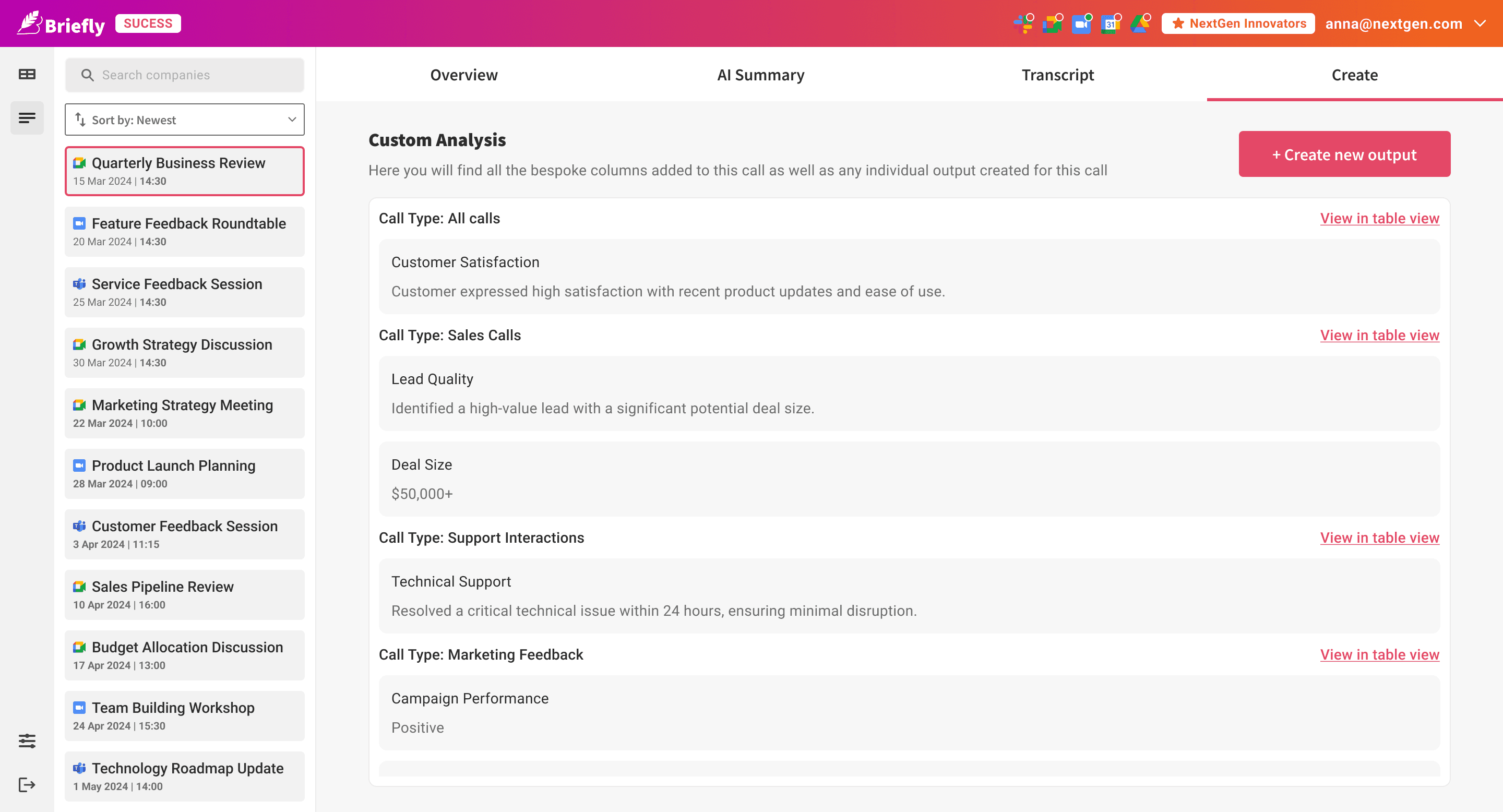
Every call opens into a four-tab view on the right: Overview, AI Summary, Transcript, and Create.
Overview This is the account intelligence layer, the piece that made BrieflySuccess different from a transcription tool.
AI Summary The standard BrieflyAI summary experience, bullet summary, key insights, and action items, applied to this call.
Transcript The full call transcript, searchable.
Create The analysis table experience, scoped to this one call. Instead of seeing results across all calls, the rep sees the output of their custom prompt columns for this specific conversation, a focused single-call view of whatever questions they've defined.
Analysis Tables
The Power Feature: Custom Intelligence Across Every Call
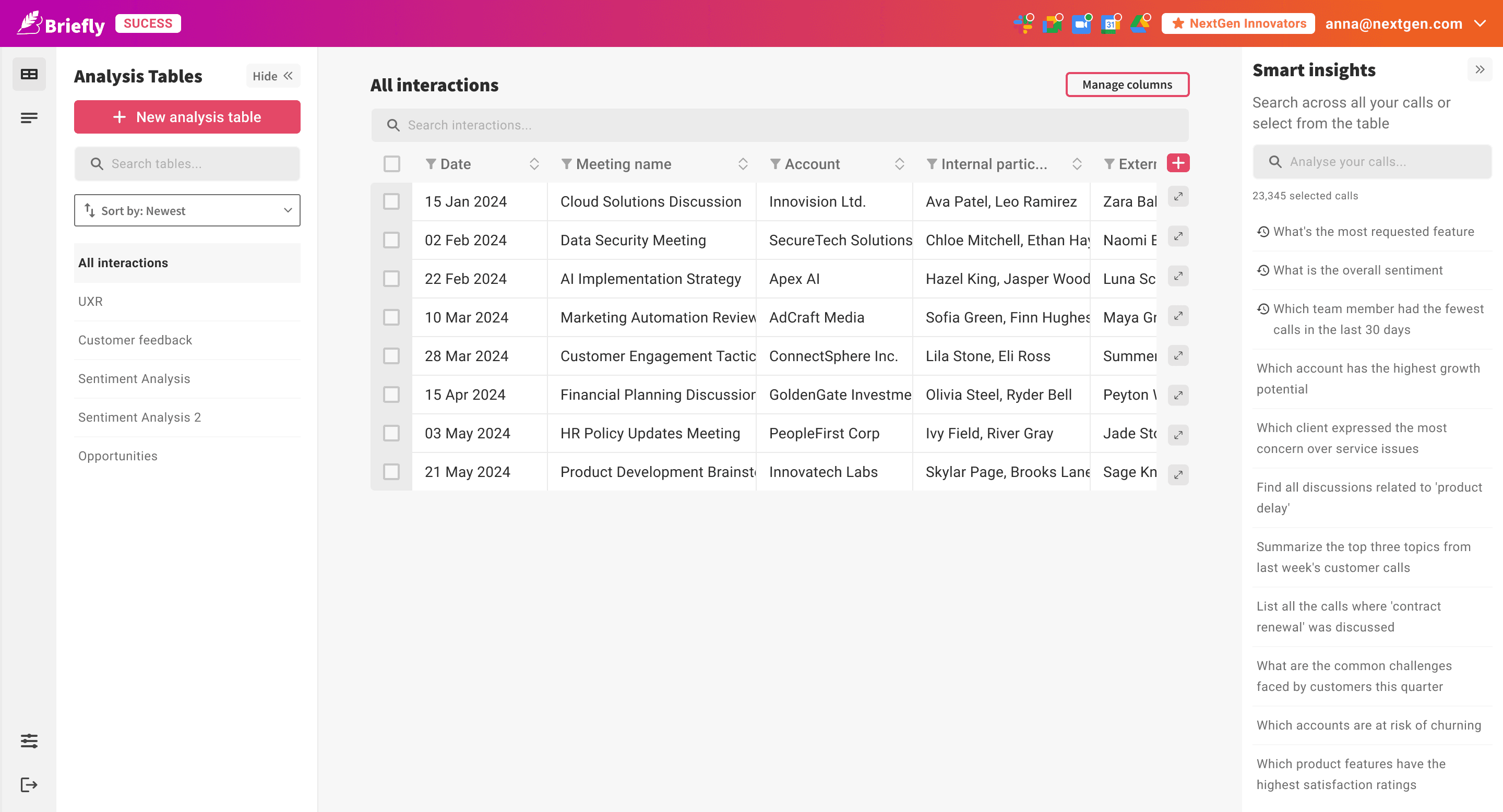
The analysis tables section is where BrieflySuccess moves beyond call management into something more useful, a tool for understanding patterns across an entire book of business.
On the left, a list of all the tables the user has created. The first one, always present, is All Interactions: every call, in a table, with standard columns for date, meeting name, account, participants, call summary, customer health, churn risk, and growth opportunities.
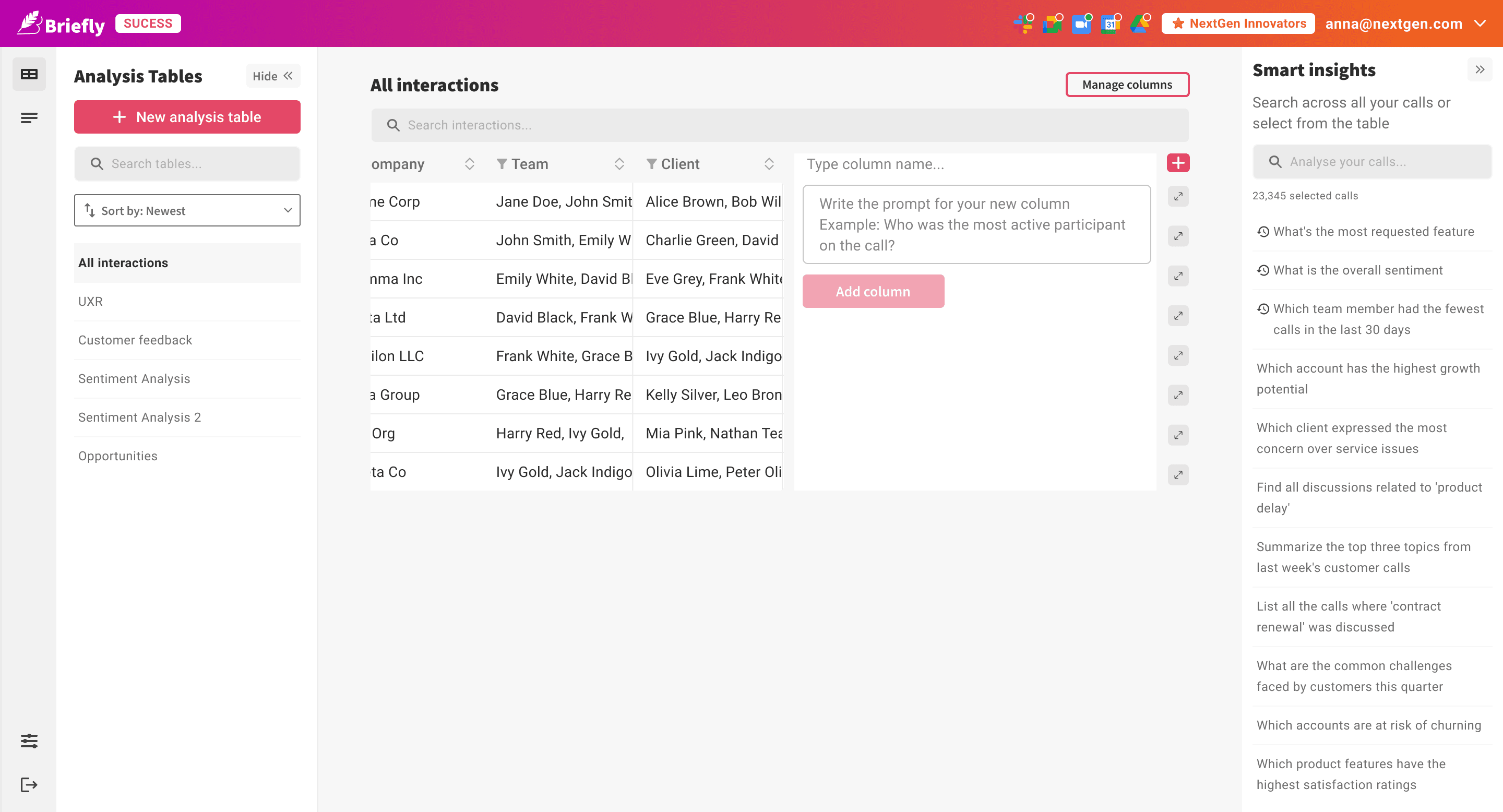
From All Interactions, users can add extra columns at any time. Each new column asks for two things: a column name and a prompt. The column name is how it will appear in the table. The prompt is the question the AI will answer for every call:
"What feature requests were mentioned on this call?" "Who was the most active participant?" "Was a competitor mentioned? If so, which one?"
The AI runs the prompt against every call in the table and fills in the results. The table grows horizontally as the team adds the questions that matter to them.
Creating a New Analysis Table
Beyond All Interactions, users can create focused tables, either selecting specific calls to include, or running across all calls with a different column set.
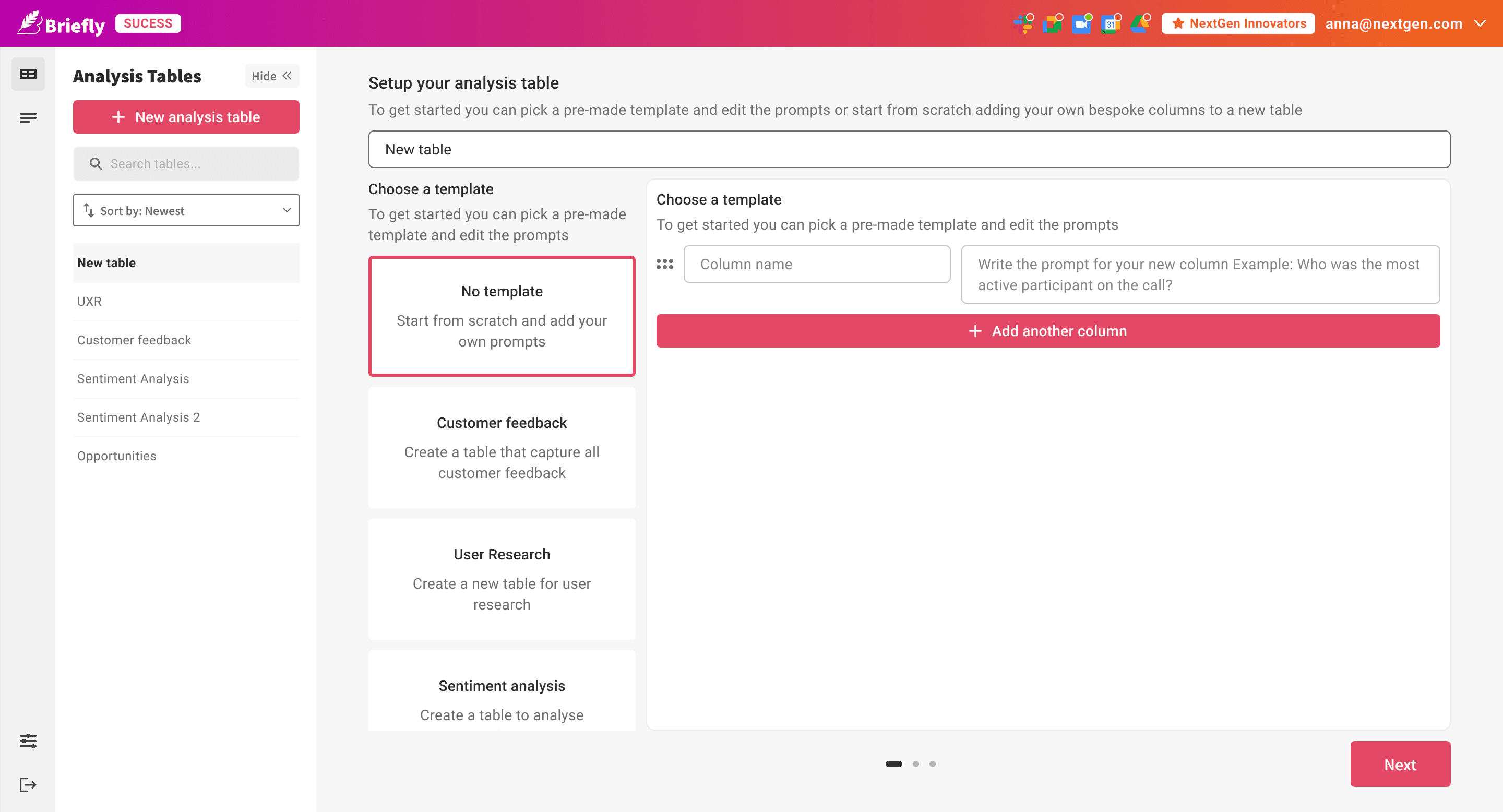
Creating a new table starts with a name and a choice: pick a template or start from scratch.
Templates handle the most common use case.
Choosing a template means the column names and prompts are already written, the user just adjusts what they need. Starting from scratch opens a blank builder: column name, prompt, add another column, repeat.
CRM Integration
The CRM Updates Itself
Any column in the analysis table can be mapped to a Salesforce or HubSpot field. Once mapped, BrieflySuccess pushes the result directly into the CRM record after each call, no copy-pasting, no tab-switching.
The overview tab also has a direct push, one button sends the account health, churn risk, growth opportunities, and call summary into Salesforce without the user having to open the CRM at all.
For a sales rep, this is the moment the product stops being useful and becomes essential. The CRM stays current because it has to, not because someone remembered to update it.
solution
The Platform
BrieflySuccess gave sales and CS teams two things they didn't have before: a structured view of what every call meant for an account, and a way to define exactly what they wanted to know from every conversation going forward.
The call list kept everything organised. The overview made account health visible at a glance. The analysis tables turned custom questions into structured data across an entire book of business. The CRM integration closed the loop automatically.
The hard part was never the AI. The hard part was designing a table where every column is a question the user gets to write themselves, and making that feel simple.
OUTCOME
What It Became
BrieflySuccess launched to a strong response from the sales and CS teams who piloted it. The core concept was validated quickly, user-defined prompt columns mapped to CRM fields worked, and the time savings reported by early users were significant.
A lite version of the CRM integration was subsequently built back into BrieflyAI for users who wanted the connectivity without the full analysis table setup. The fuller BrieflySuccess product was still in active development when the project concluded as the company refocused its resourcing. BrieflyAI continues to run as a live product.
2
CRM
integrations
3
built-in
table templates
∞
custom
prompt
3
months
0 to 1
The hardest design problem wasn't the AI: it was designing a table where every column is a question the user gets to write themselves.
Get in
touch
Linkedin ↗
Senior & Lead product design roles.
UK or remote.
Reach out if you'd like to know more.
hello@martinasartor.com