2018
·
agency
22 Bishopsgate
Multi-Touch Interactive Marketing Experience
A large-format interactive wall and synchronised tablet app for marketing London's tallest commercial tower, designed for multiple simultaneous users and presenter-led group sessions.
ROLE: Lead Product Designer
PLATFORM: Interactive wall · Tablet app
The Project
22 Bishopsgate is one of the tallest buildings in London. The client needed a way to market its commercial floor space that matched the ambition of the building itself, not a brochure, not a slideshow, but an experience.
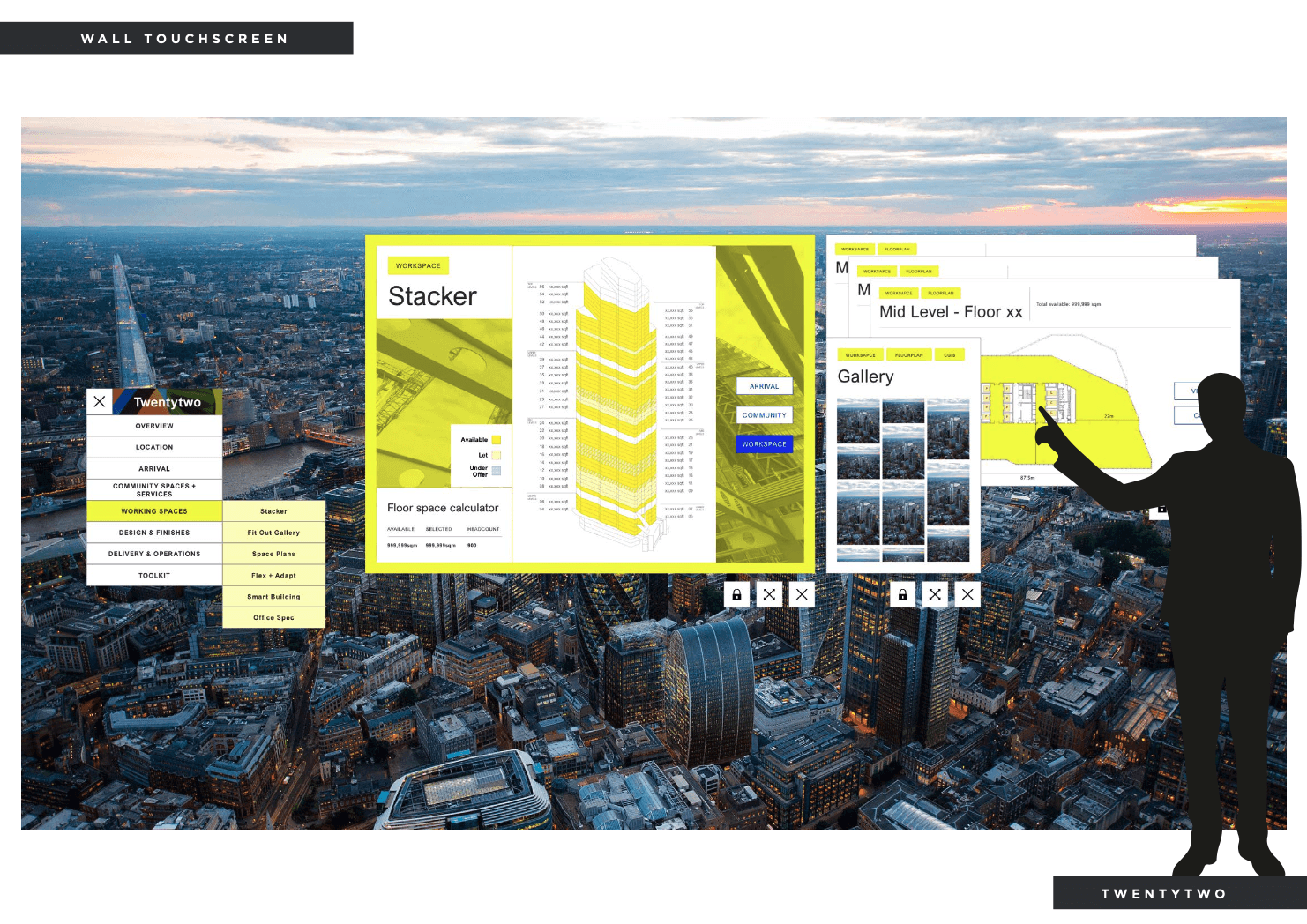
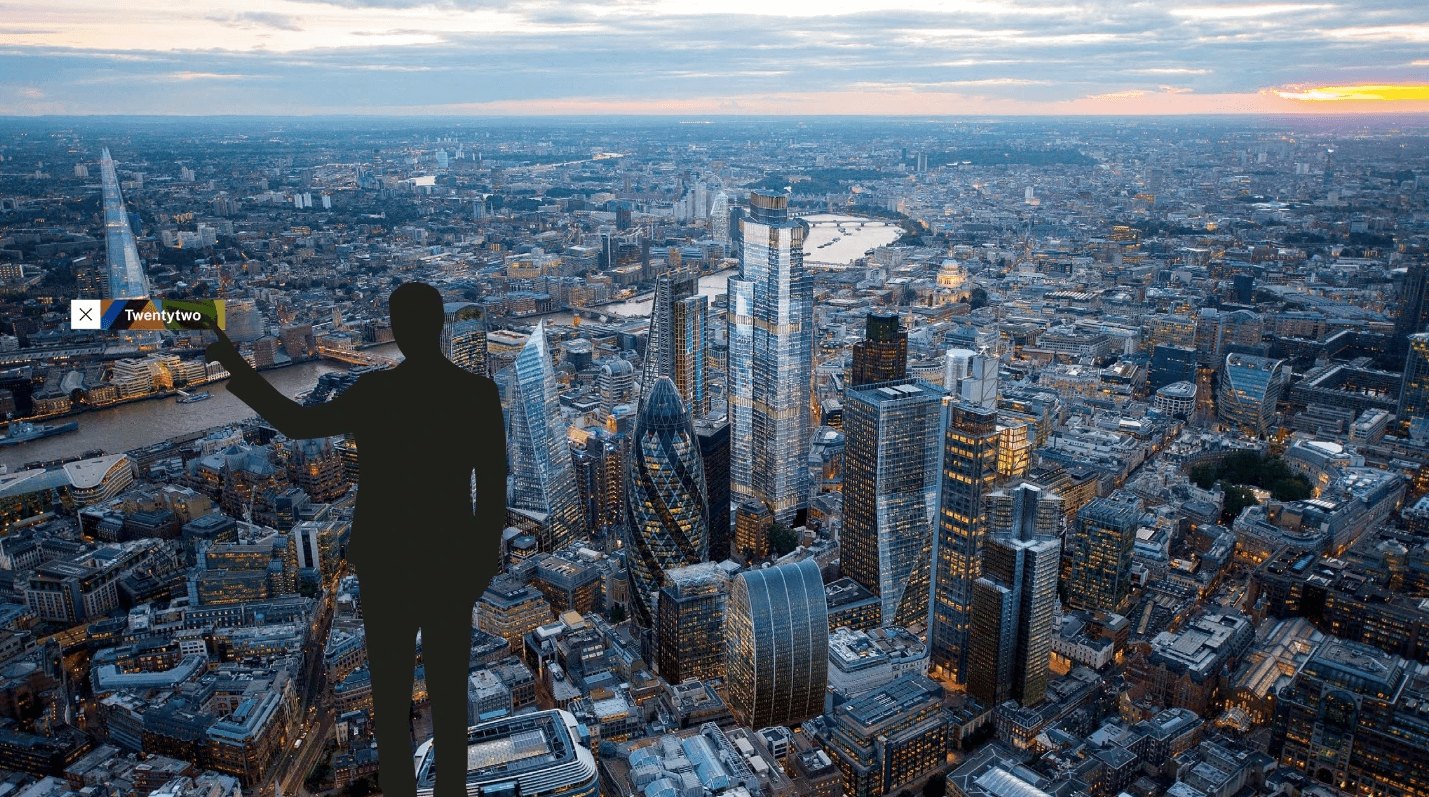
The solution was a large-format interactive wall in the building's marketing suite, paired with a tablet app that could operate independently or mirror the wall for presenter-led sessions. Together, they gave potential tenants a way to explore the building, its floors, its layouts, its amenities, in a format that felt as impressive as the address.
I was brought in as lead designer for a four-month engagement, working closely with a specialist development team experienced in large-format interactive installations.

What I Owned
Requirements gathering: understanding how the marketing suite would be used, by whom, and in what contexts (individual exploration vs. group presentations)
Concept and UX design: defining the interaction model for a large-format multi-touch surface, including multi-user simultaneous interaction
The interactive stacker: concept and design of the core feature allowing users to explore the building floor by floor
Tablet app design: a companion experience that mirrored the wall or operated independently, with its own navigation logic
Synchronisation design: defining how the tablet and wall communicated and how a presenter could control the wall experience from the tablet
UI design: adapting 22 Bishopsgate's brand guidelines across both surfaces
Close collaboration with specialist developers throughout: this was not a handoff project, but an ongoing design-development dialogue
The Challenge
Most product design work is designed on a screen and experienced on a screen. The gap between the two is small.
An interactive wall is different. The design decisions that matter: where menus sit, how far apart touch targets need to be, how multiple users interact with the same surface simultaneously without getting in each other's way; can't be properly evaluated in Figma. They only become real at scale.
That required a different design process. Closer collaboration with the development team, earlier. More trust in physical ergonomics. More iteration based on how things felt to use at actual size, not how they looked in a prototype.
The tablet added another layer. It had to work as a standalone experience, with proper navigation, breadcrumbs, back functionality, and also as a remote control for the wall, mirroring content for a presenter managing a group session. Two interaction models, one device, zero confusion about which mode you were in.
The Interactive Stacker
The Building, Explorable Floor by Floor
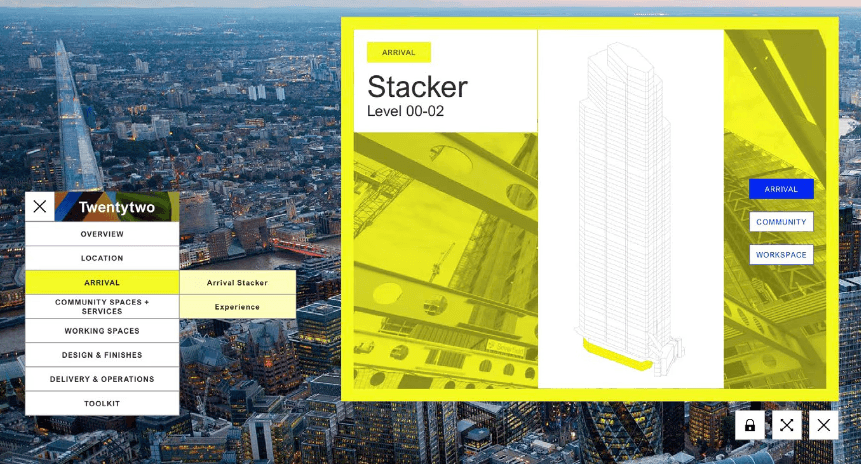
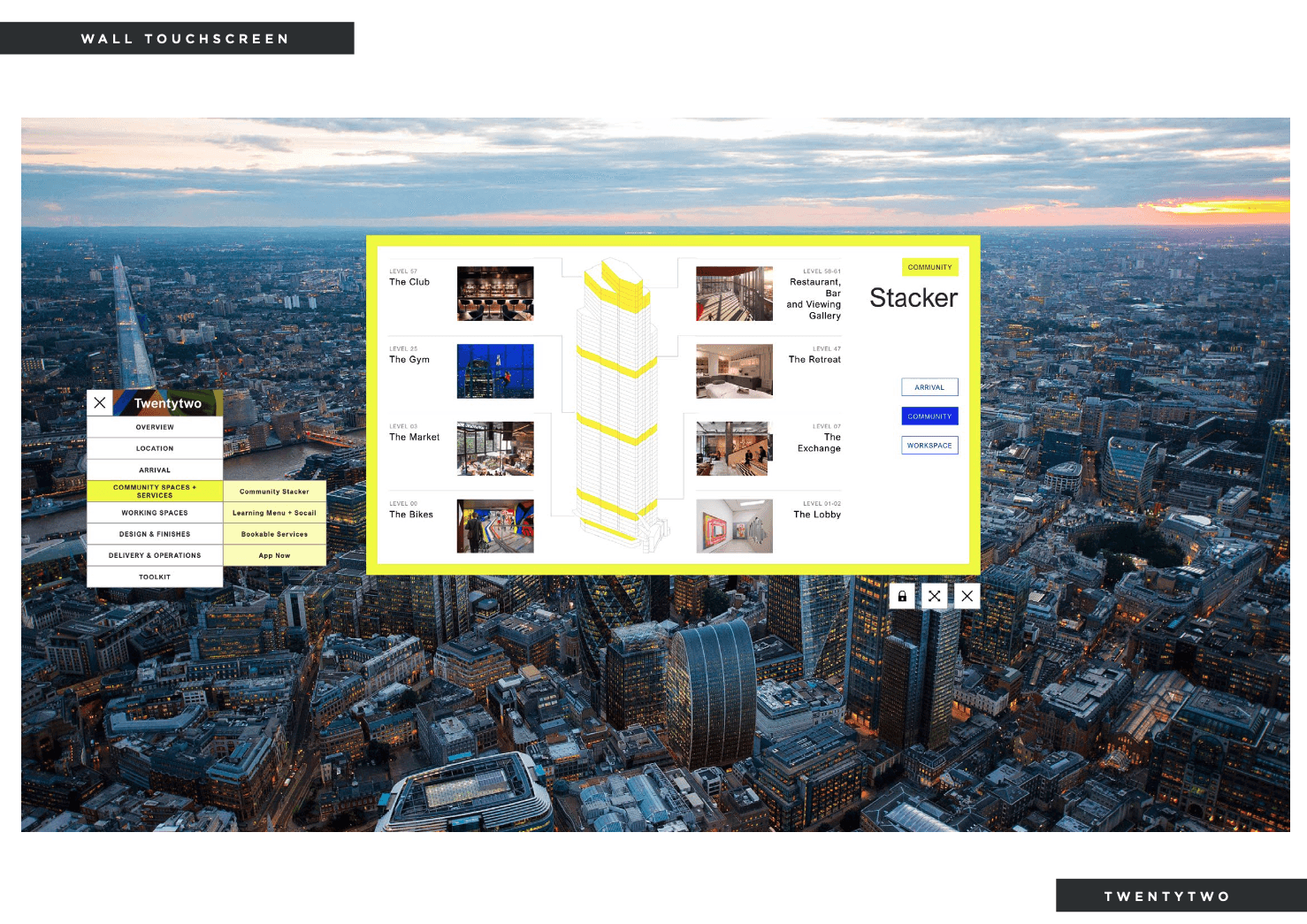
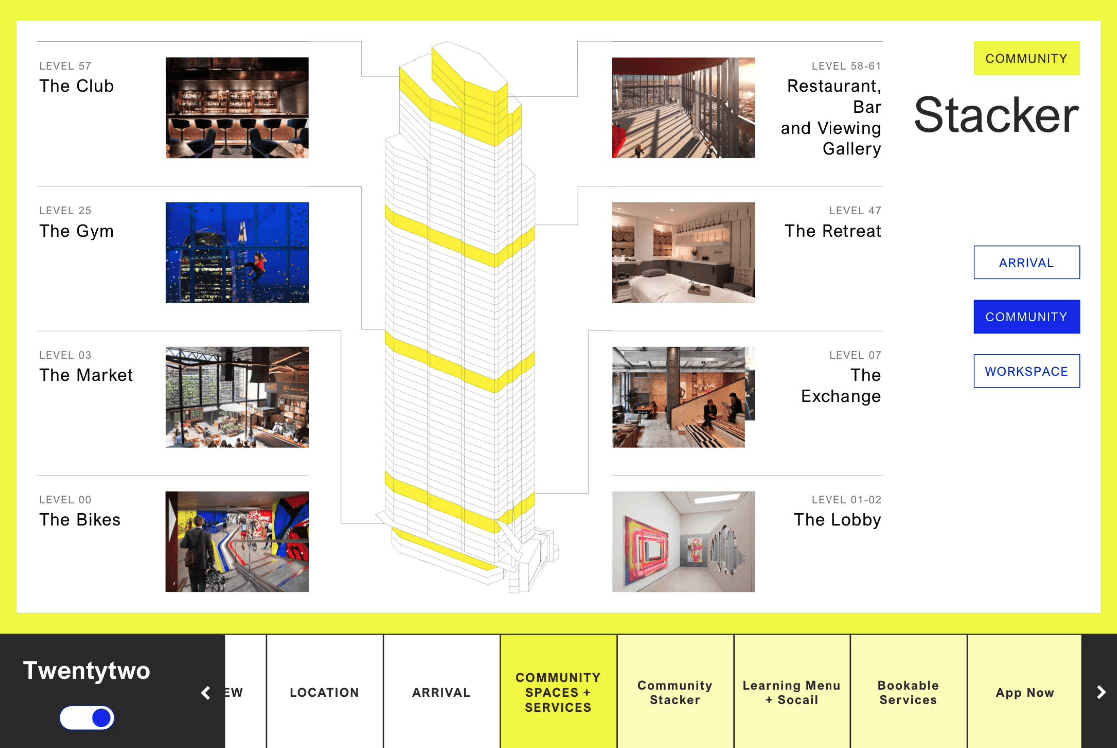
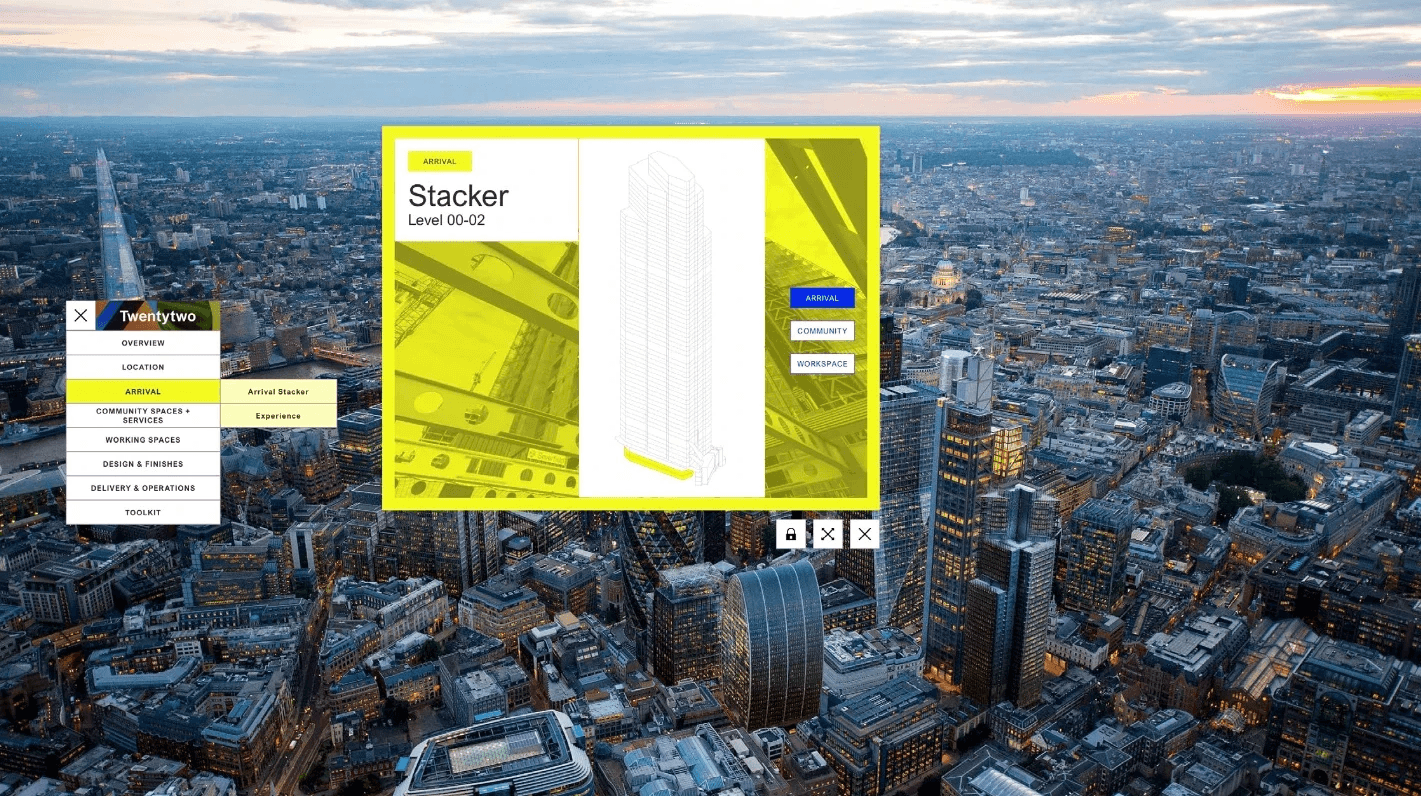
The centrepiece of the wall experience was the interactive stacker — a visual representation of 22 Bishopsgate in cross-section, with every floor selectable and explorable.
Tapping a floor opens its detail view: layout options, available square footage, floor plans, amenities, and any specific features of that level. Users could move between floors, compare spaces, and drill into the information that mattered to them, all from the wall surface.
The stacker was designed to be immediately intuitive. A prospect walking into the marketing suite for the first time, with no instruction, should be able to pick it up and start exploring within seconds. That meant the interaction model had to be obvious, tap a floor, see what's there, tap another, without requiring any explanation.
The Wall Experience
Multiple Users, One Surface
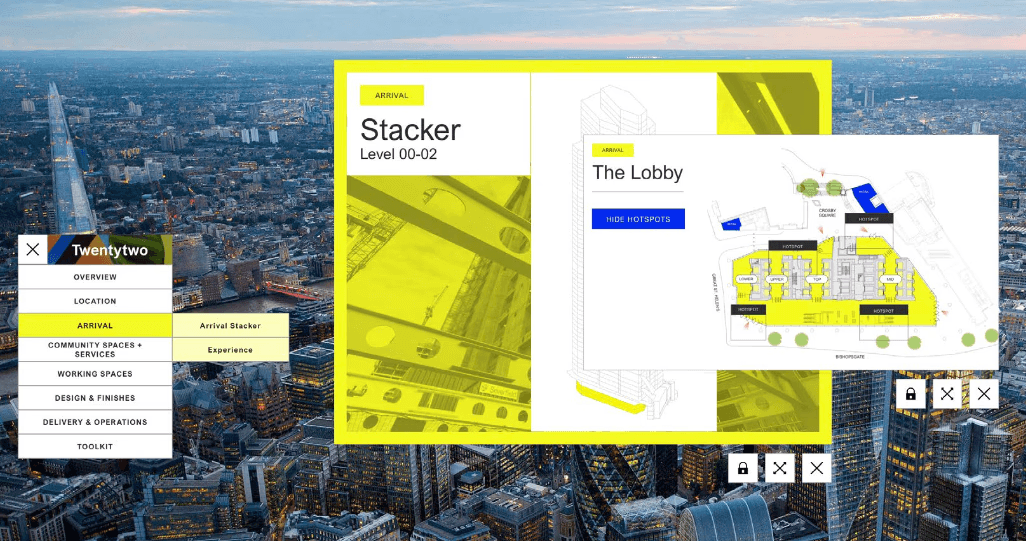
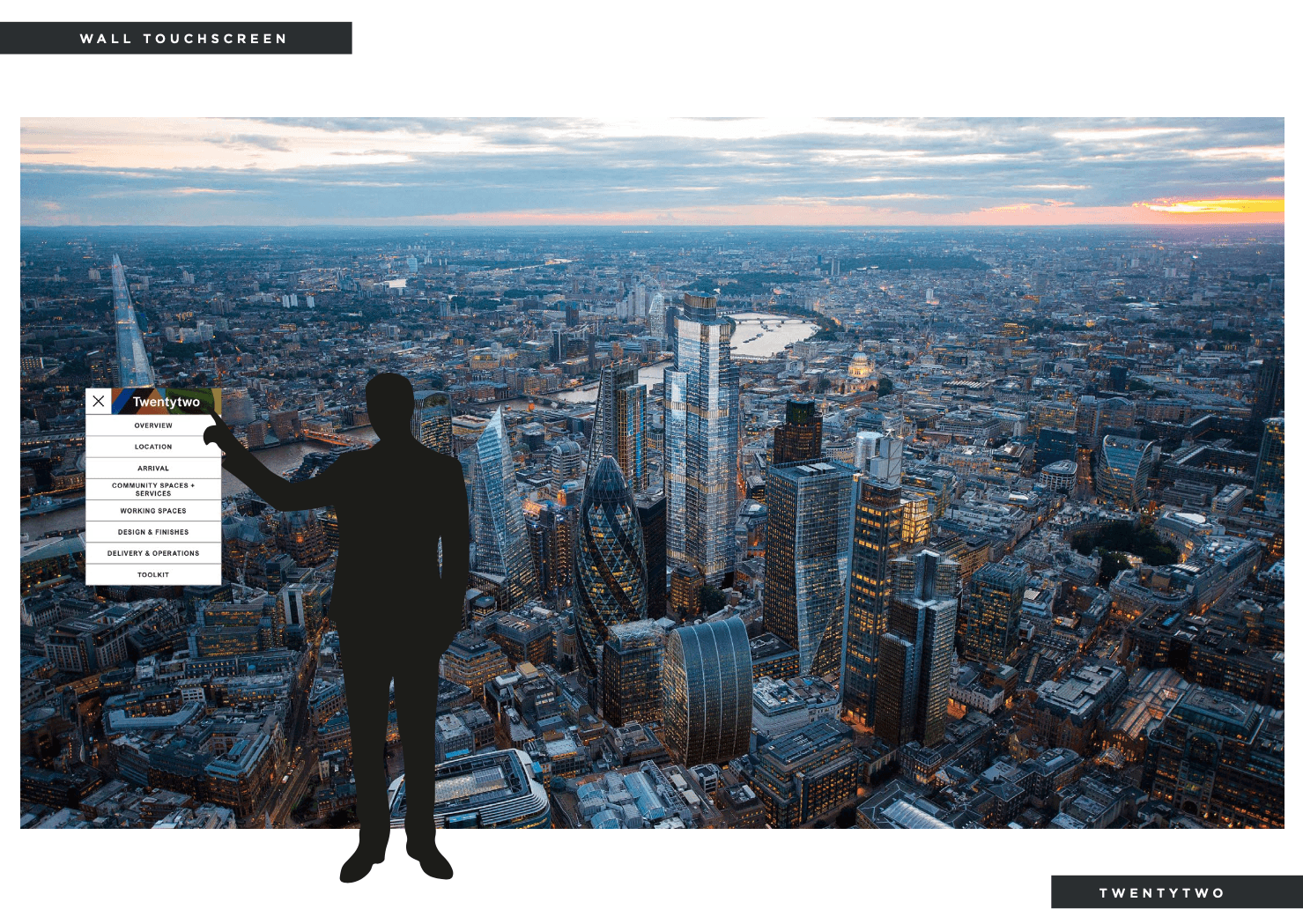
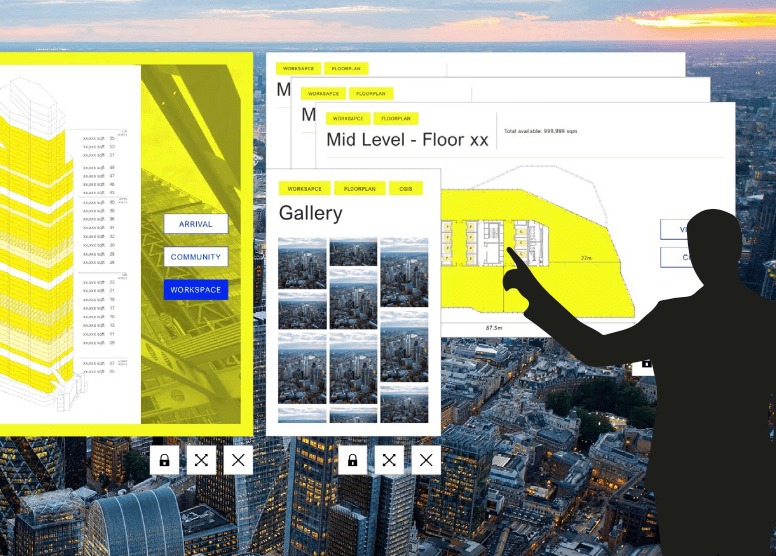
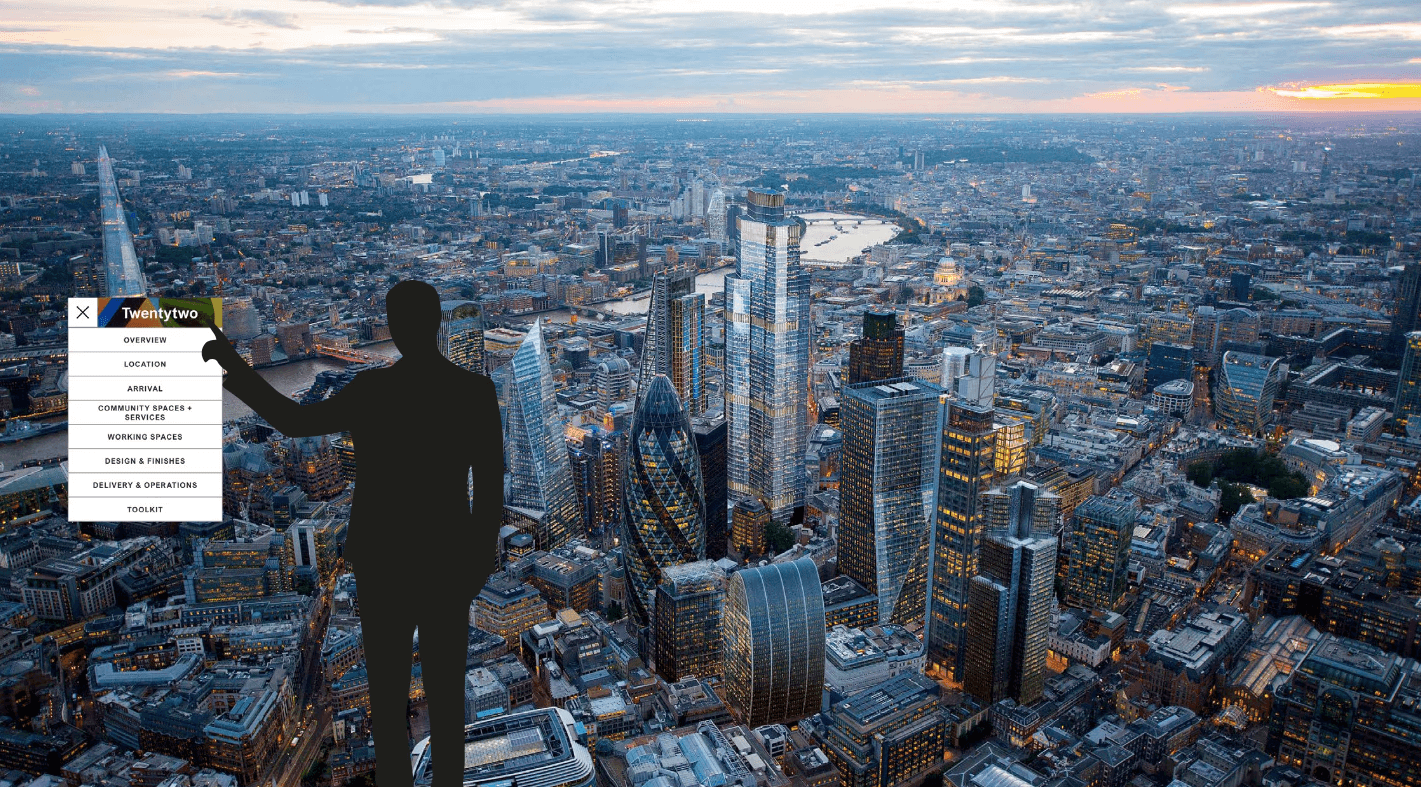
The wall was designed for simultaneous multi-user interaction. Two or three people could explore different parts of the building at the same time, opening windows, navigating content, accessing information, without interfering with each other.
Windows on the wall were movable and lockable. Content could be pulled to any part of the surface. The menu system was flexible and responsive, accessible from anywhere on the wall, not anchored to a fixed corner that might be out of reach at scale.
This required careful design of how elements behaved when multiple touch points were active simultaneously, and close collaboration with the development team to make sure the interaction model held up in practice.
The Tablet App
Two Modes, One Device
The tablet app was designed around a single core insight: sometimes the presenter needs to lead, and sometimes the visitor needs to explore.
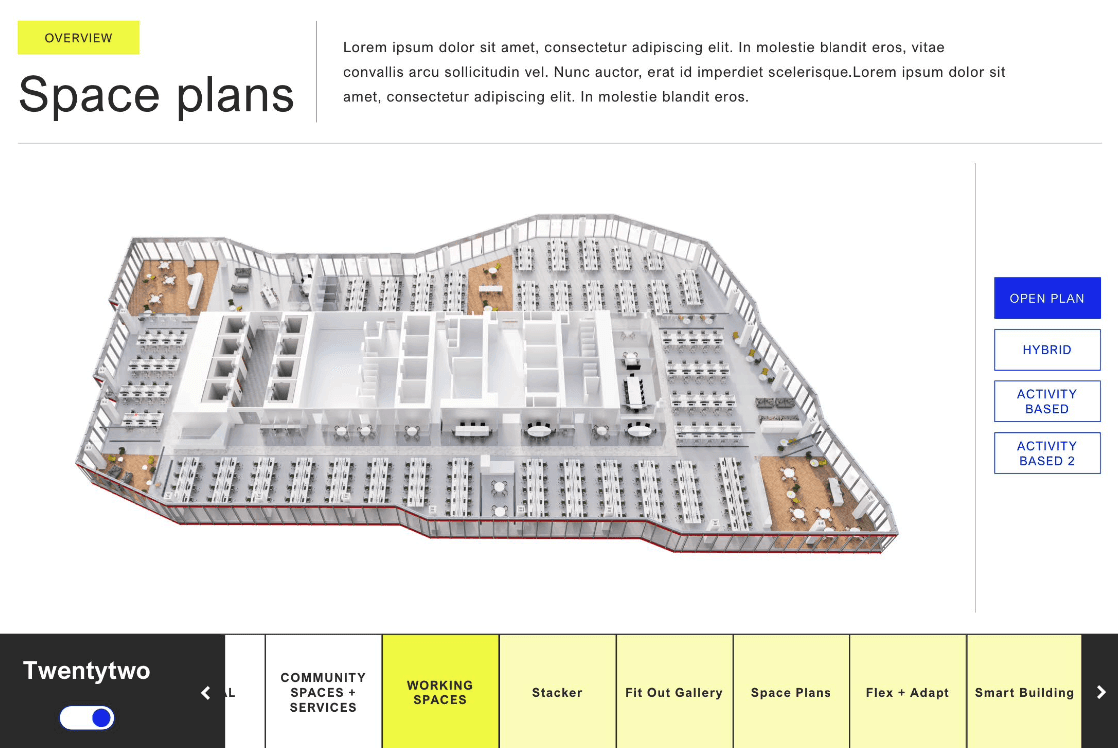
In independent mode, the tablet was a complete experience in its own right, navigable with breadcrumbs, back functionality, and a clear information hierarchy. A prospect could use it alone at a desk or in a meeting room without the wall.
In mirror mode, the tablet became a remote control. A toggle switched it into wall-sync, whatever the presenter navigated on the tablet appeared on the wall. This gave the sales team a way to guide group sessions smoothly, from the tablet in their hand, without having to physically interact with the wall surface.
The transition between modes was designed to be obvious and instant, one control, no ambiguity, so a presenter could switch mid-session without breaking the flow.
Design at Scale
What Changes When the Screen Is Bigger Than You Are
Designing for a large-format interactive wall meant revisiting assumptions that are invisible in normal product design work.
Touch targets that feel generous on a phone feel cramped at wall scale. Text sizes that read perfectly on a 13-inch screen become illegible at the edges of a two-metre wall. Interactions that feel fluid on a prototype feel clunky when your arm has to travel fifty centimetres between touch points.
Every decision had to be validated at actual scale, which meant staying close to the development team throughout, reviewing builds in the physical space rather than on a monitor, and being willing to adjust things that looked right in the file but felt wrong in the room.
solution
The Experience
The finished installation gave 22 Bishopsgate's sales team a marketing tool that matched the building it was selling, impressive, interactive, and capable of working for an individual exploring alone or a group being walked through a presentation.
The wall made the building explorable at scale. The tablet made the experience portable and presenter-controllable. Together, they turned a marketing suite visit into something a prospect would remember.
OUTCOME
What It Became
The complete experience, the interactive wall and the tablet control system, was designed, client-approved, and handed to development during my engagement.
My contract ended at design handoff; the installation subsequently launched as part of the building's public spaces.
Designing for a wall you can't prototype on a laptop teaches you which of your design instincts actually hold up — and which ones only work at screen size
Get in
touch
Linkedin ↗
Senior & Lead product design roles.
UK or remote.
Reach out if you'd like to know more.
hello@martinasartor.com