The Project
The day ChatGPT became available to the public, the startup I was working with decided to build something with it. That same week, we brainstormed, landed on an idea, and started moving.
BrieflyAI began as an AI call assistant, recording meetings, generating summaries, and surfacing action items in real time. It was a focused, useful tool. But we knew it couldn't stay there. Zoom and Google were going to do their own version. So we built for the gap they'd leave: sales and customer success teams who needed more than a transcript.
Over 12 months, the product grew from a Chrome extension into a full platform: dashboard, Slack integration, CRM connections, and eventually a separate product, BrieflySuccess, targeting sales and CS teams specifically. I owned every design decision across all of it.

What I Owned
As the sole designer on a team of six, I was responsible for:
End-to-end product design: from early concept sketches to production-ready UI across the Chrome extension, web dashboard, and all integrations
UX research: analysing customer feedback gathered by the team (US time zone prevented direct interviews, so I worked from recorded sessions and written feedback)
Brand identity: naming system, visual language, colour, typography
Webflow marketing site: designed and built
Marketing and promotional materials: including video animations created entirely in Figma
Design system: built from scratch to maintain consistency as the product scaled across surfaces
The Challenge
The founders wanted everything to live inside the Chrome extension. Keep it tight, keep it focused, don't make people open another tab. I understood the instinct, every new tool in someone's workflow is friction.
But our users were asking for a dashboard.
I took that back to the team with user research behind it. Customers wanted to manage their summaries, search back through old calls, and see everything in one place. That's not an extension, that's a product.
We resolved it by doing both, but doing it smartly. The dashboard existed for users who wanted it. But for users who lived in Slack, we built a Slack integration that surfaced everything there, so they never had to open the dashboard if they didn't want to. The data always flowed to where people already worked.
Early Concept and Extension
Starting Inside the Call
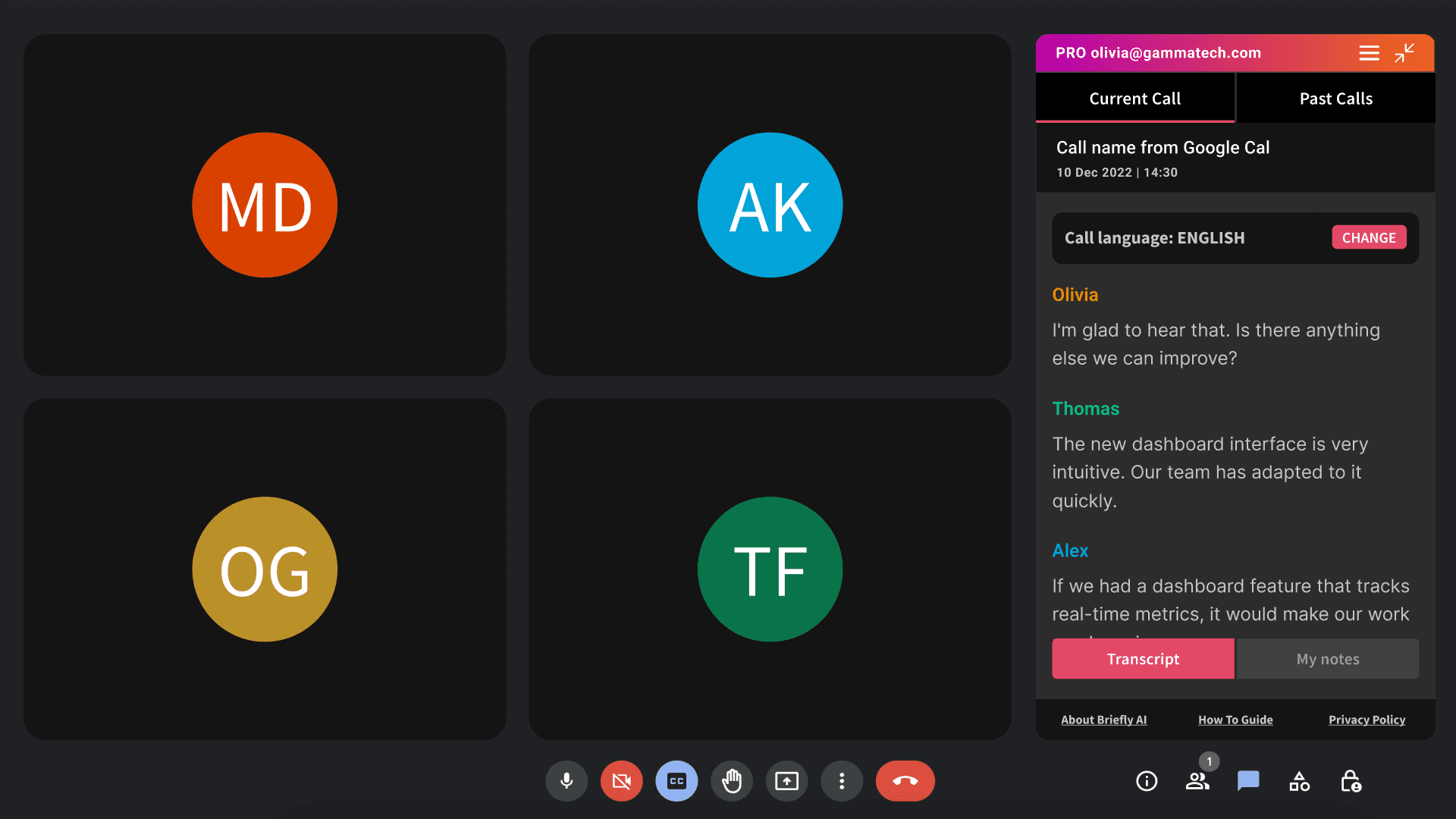
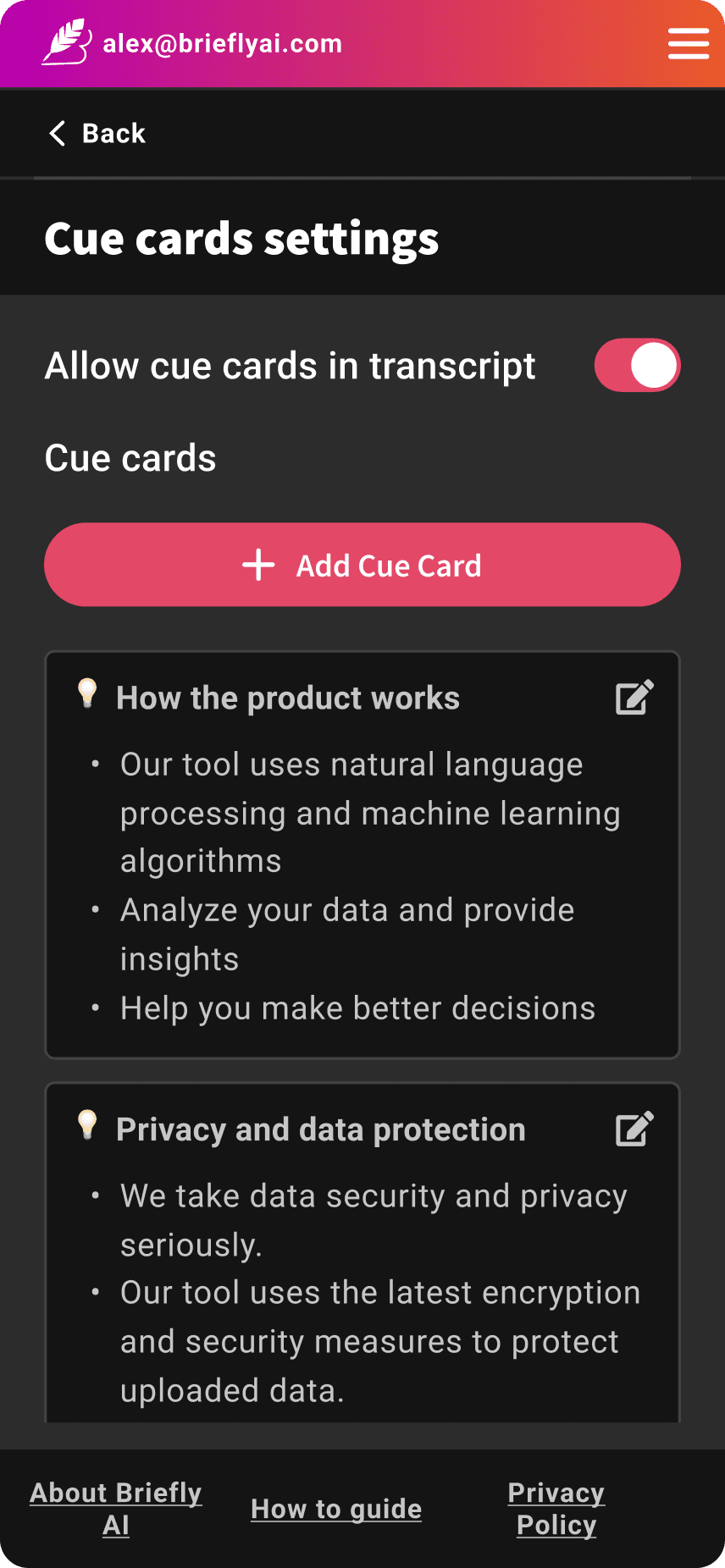
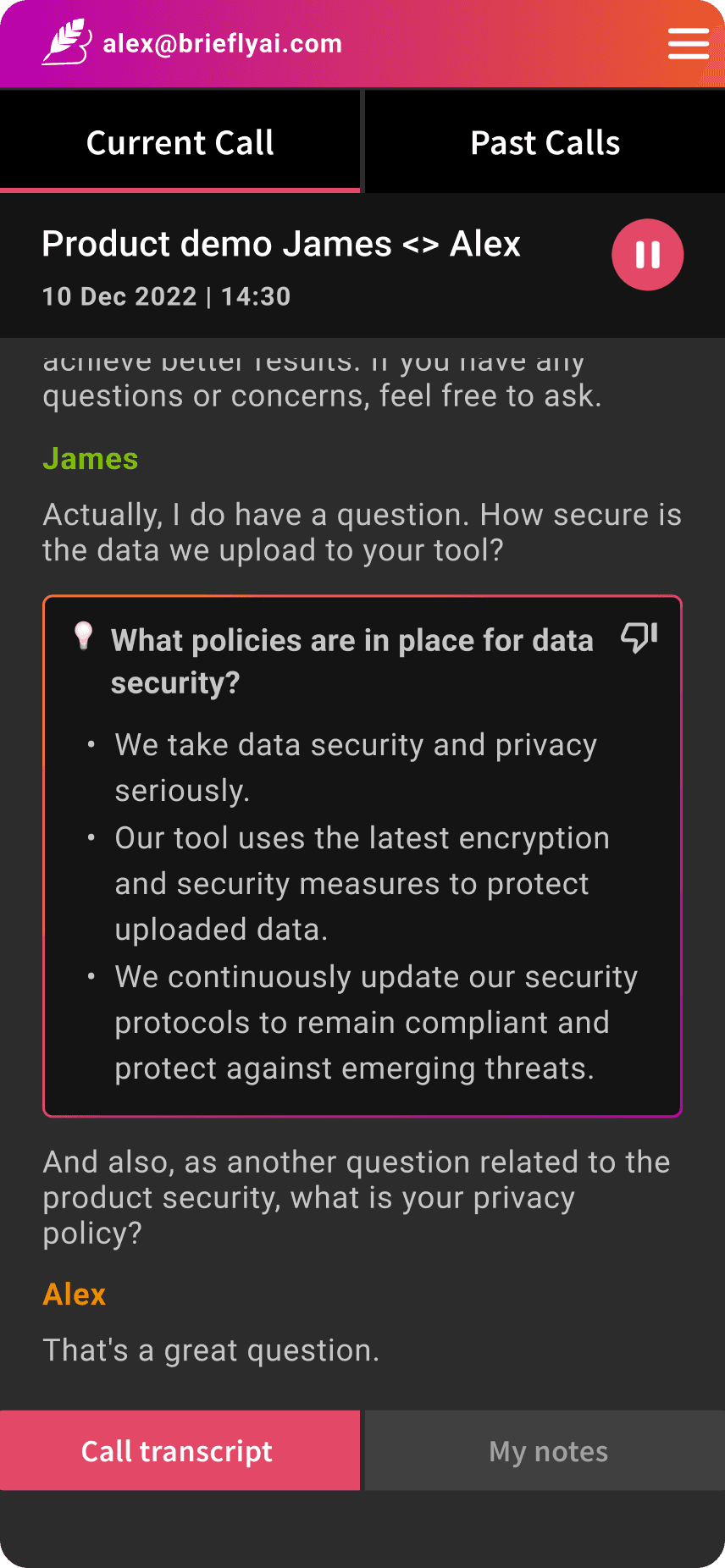
The Chrome extension was the whole product at first. It needed to do a lot in a small space: join the call, start transcribing, show AI-generated cue cards in real time, and capture action items, all without getting in the way.
The core design challenge was attention. A sales rep on a call can't be reading long summaries. So the extension UI had to be glanceable — short cue cards, clear action prompts.
The Dashboard
Building What Users Actually Asked For
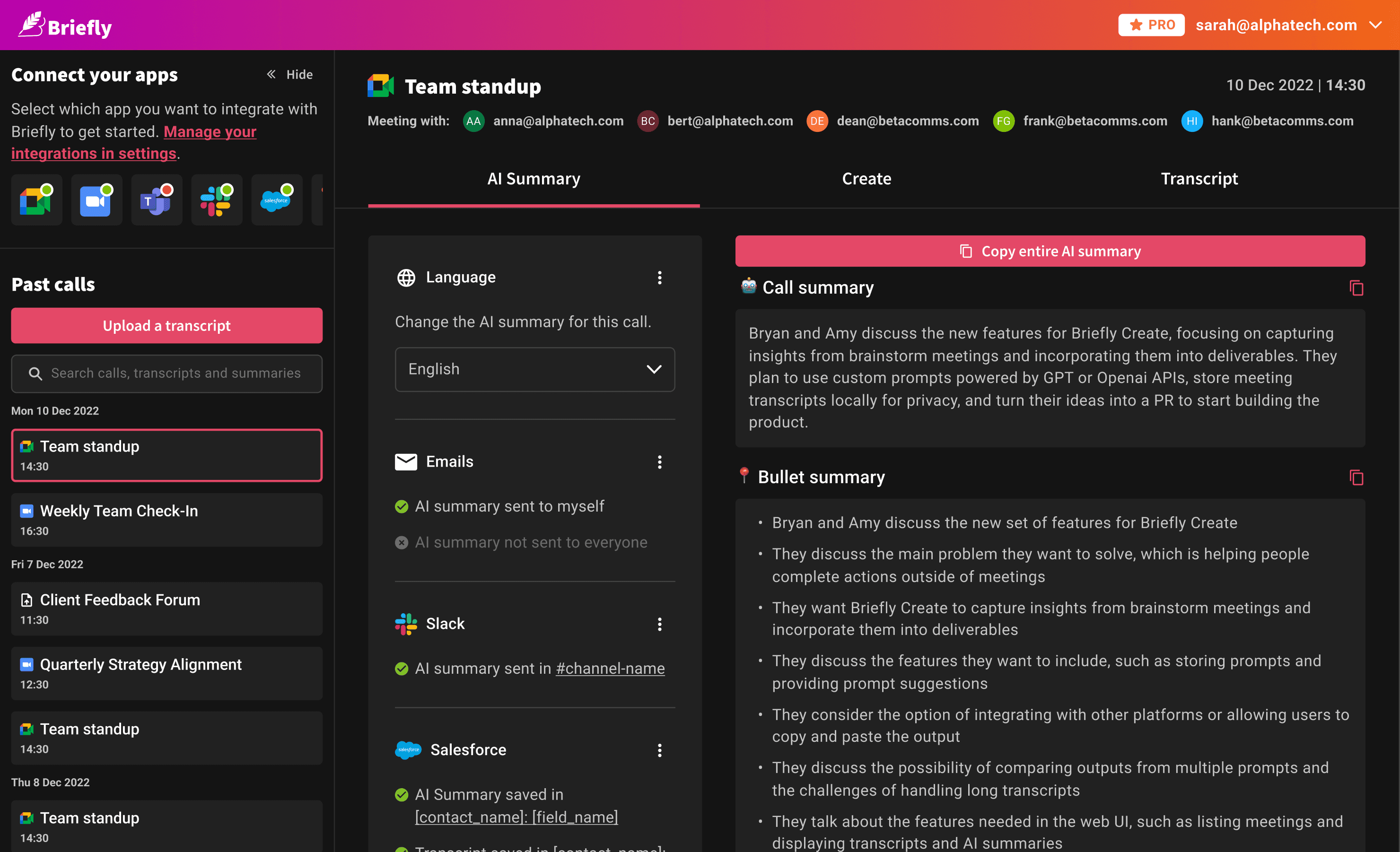
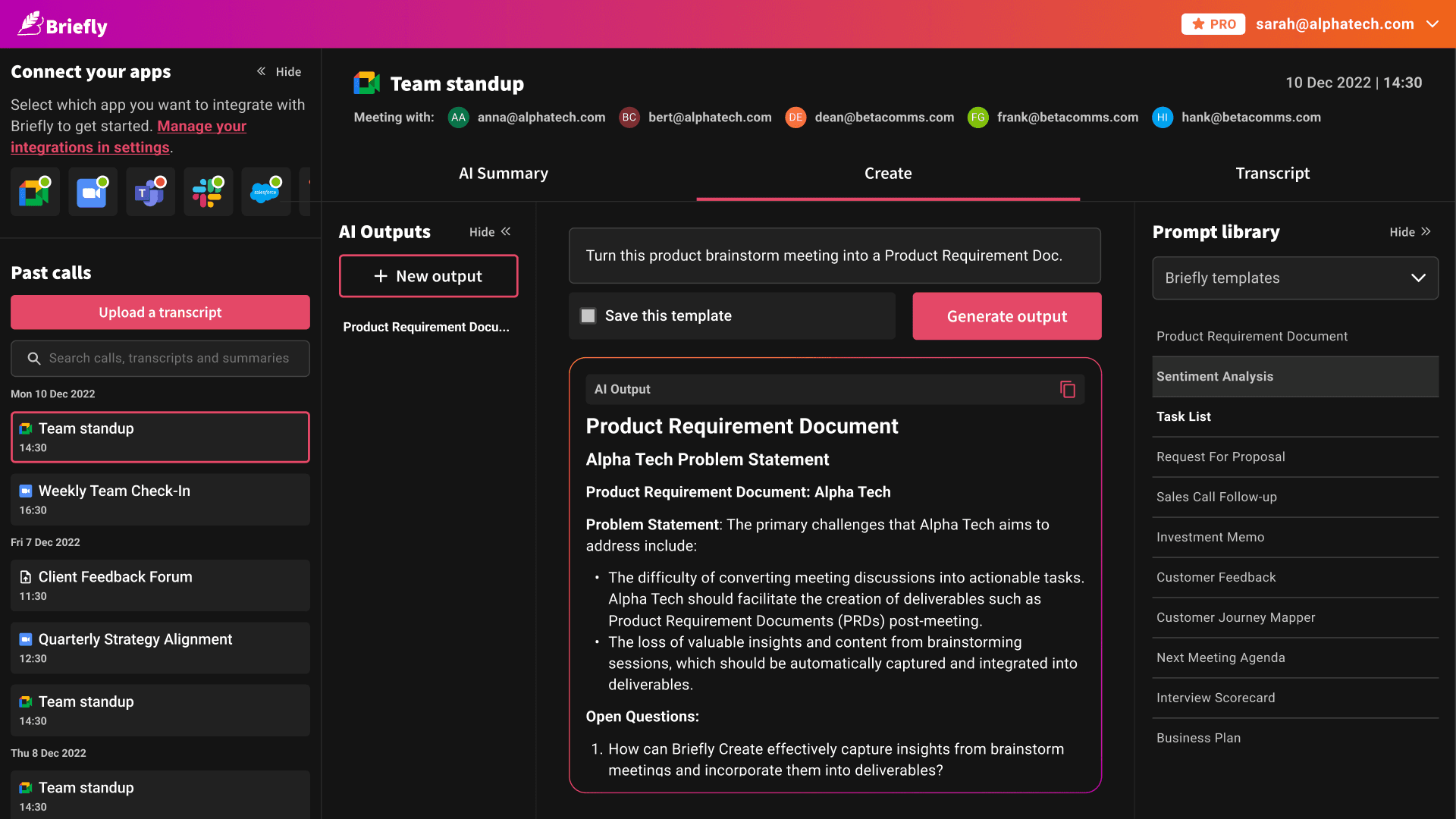
Once the dashboard was approved, the design challenge shifted. How do you make a new tool feel like it belongs in someone's day, not like extra work?
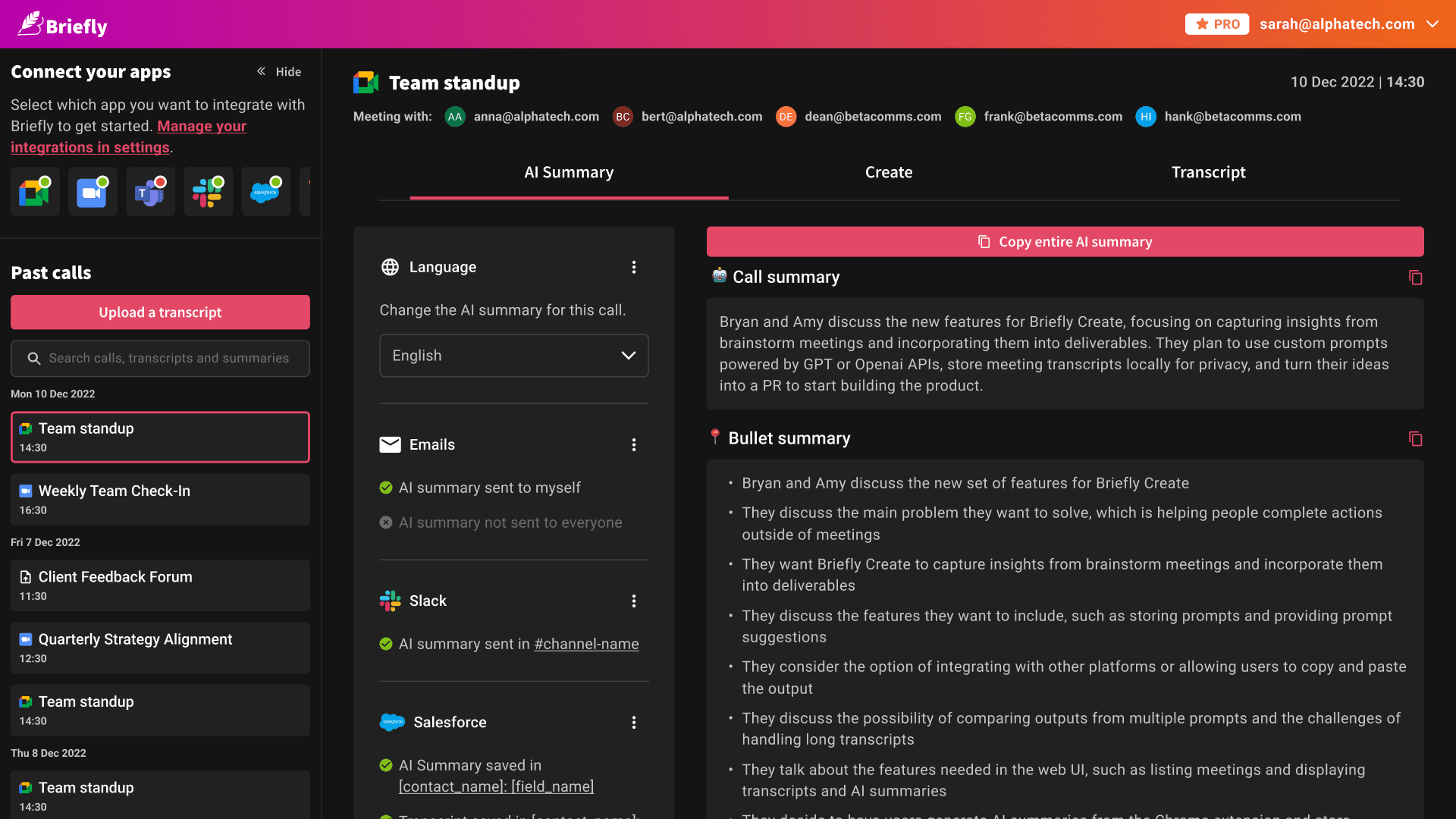
The answer was integration depth. The dashboard wasn't a place to go and check things. It was a place where everything came together: every call, every summary, every action item, and a chat interface where users could query their own call history using AI.
That last feature, querying calls, was also our answer to the trust problem. Early users were unsure whether to trust AI-generated summaries. We couldn't add source citations directly, but we made the original transcript always one click away, and we built a powerful search so anyone could verify a summary against the raw recording themselves. Trust through transparency, not through promises.
Slack Integration
Bringing the Product to Where People Work
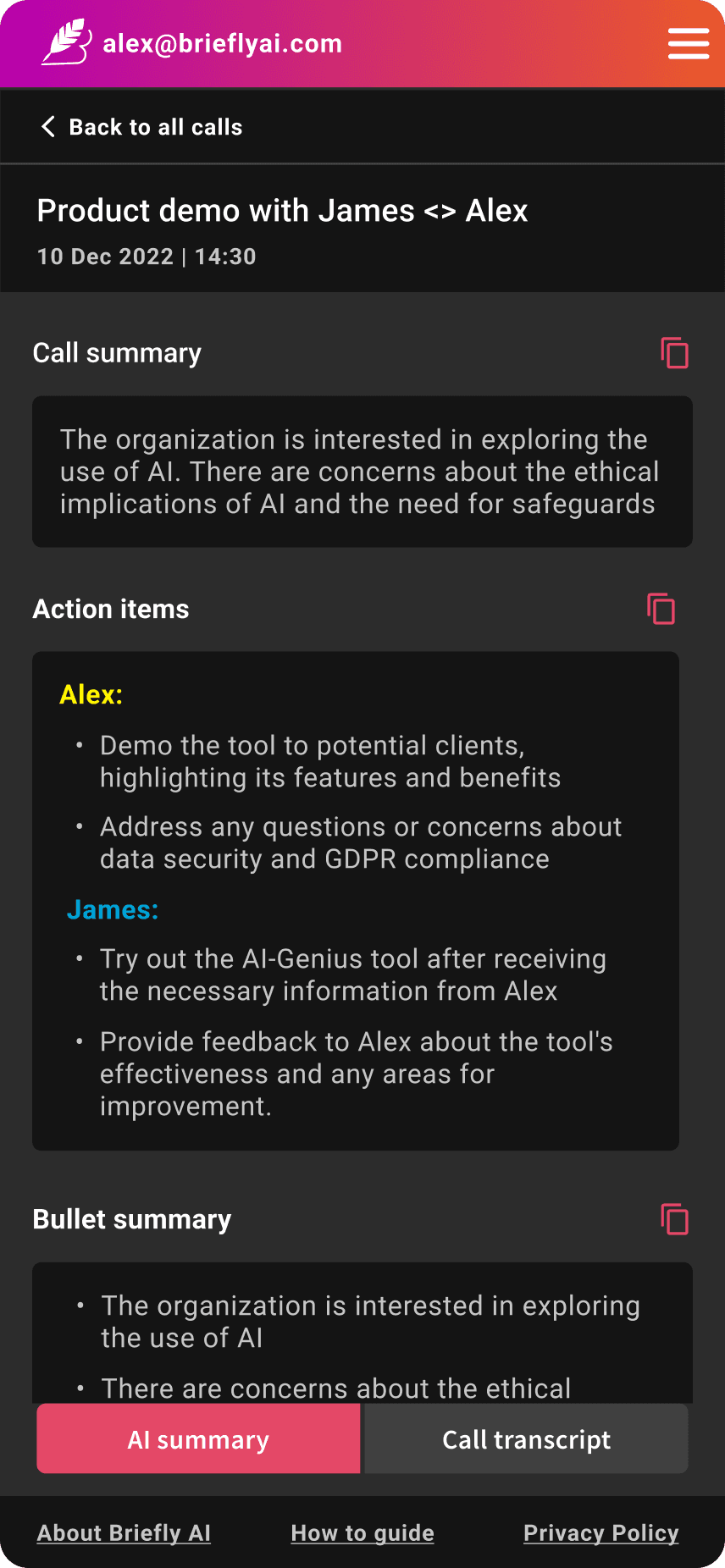
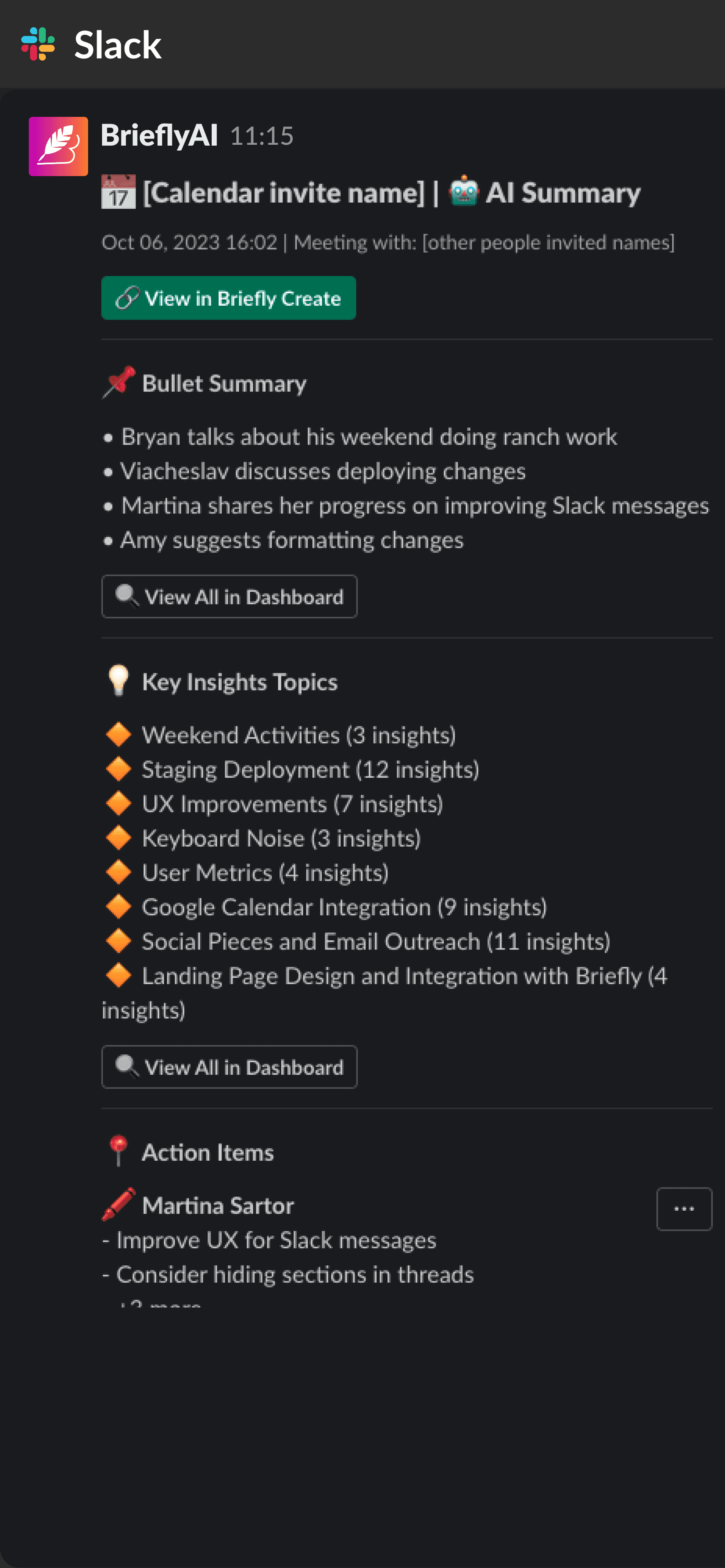
The Slack integration was the piece that resolved the dashboard debate. For users who didn't want to leave Slack, they didn't have to. Summaries and action items were delivered directly to their channel or DM, formatted for readability, with a link back to the dashboard if they needed more detail.
The product should come to the user, not the other way around.
CRM Integration
Closing the Loop for Sales Teams
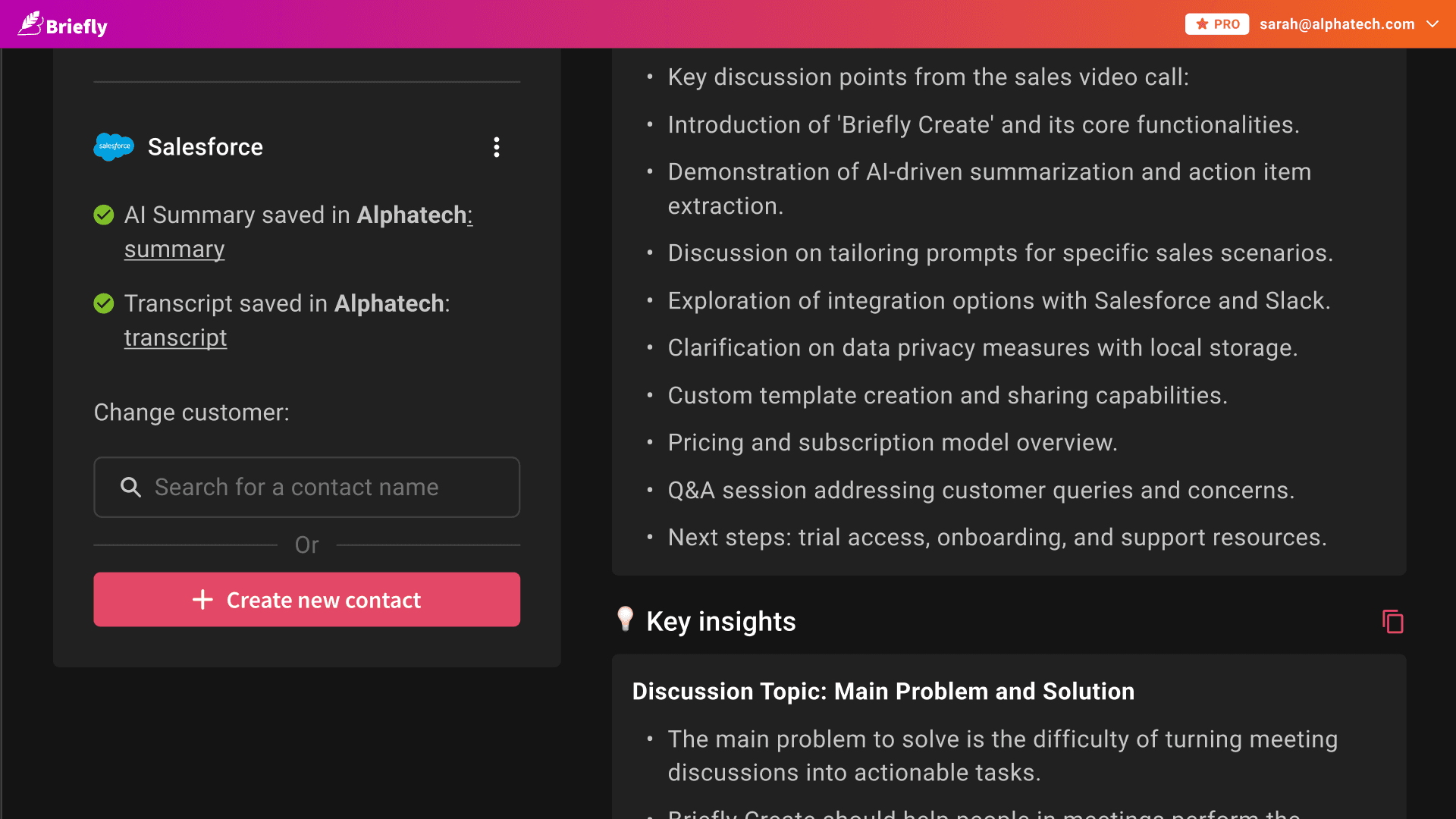
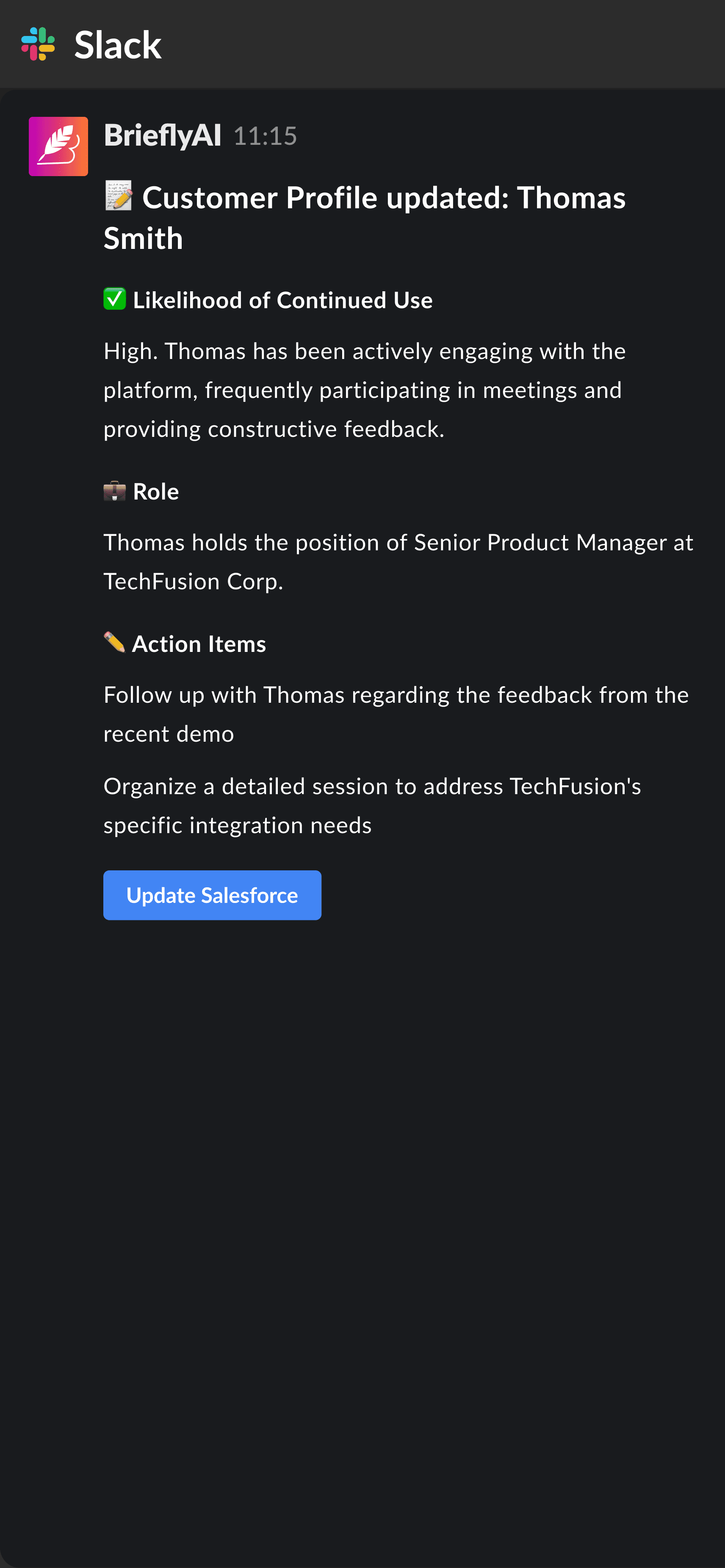
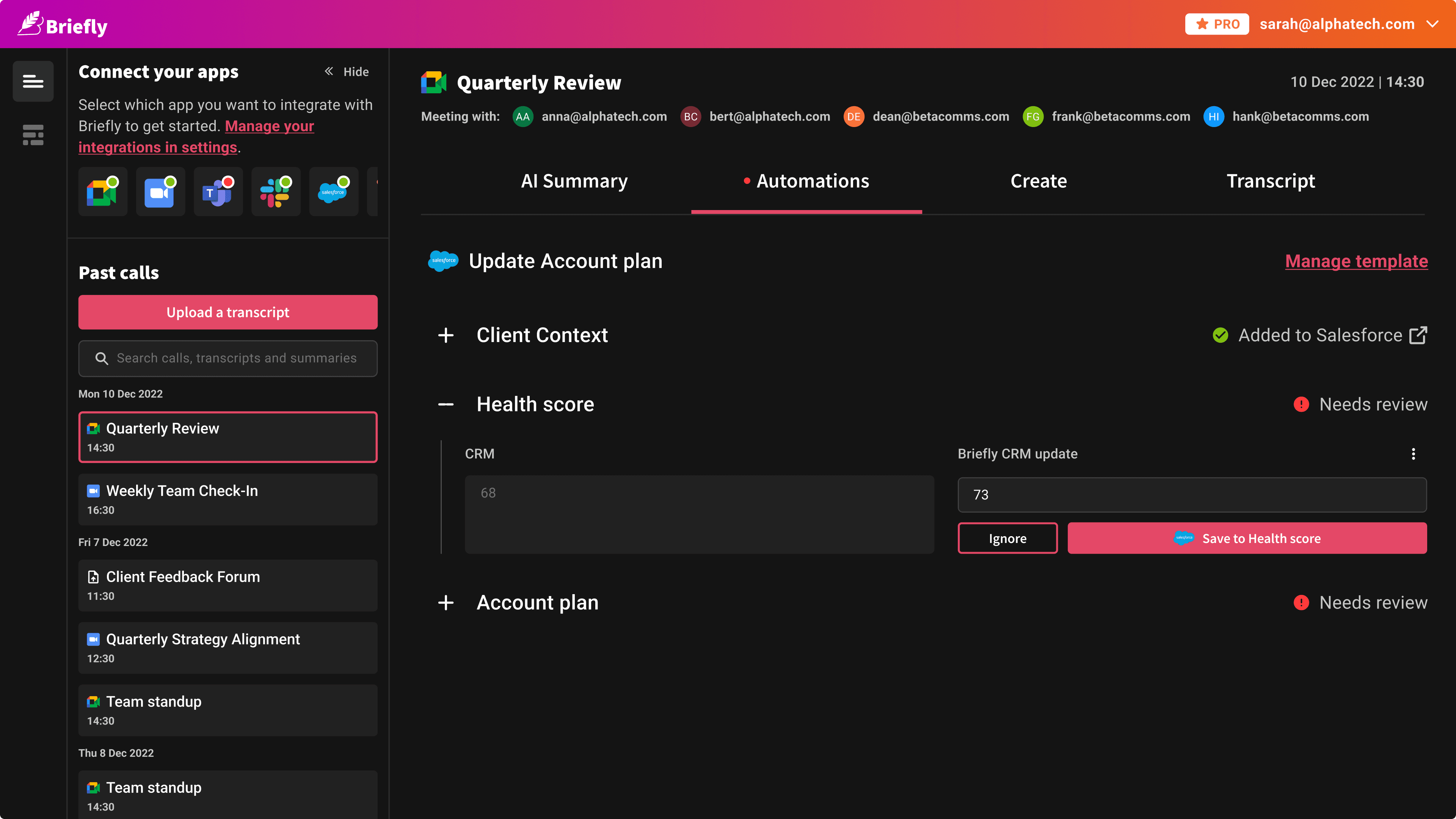
The final major integrations were Salesforce and HubSpot. After a call, BrieflyAI could push summaries and action items directly into the relevant CRM record, no copy-pasting, no manual logging.
For sales reps, this was the moment the product stopped being a nice-to-have and became a workflow essential. It closed the loop between the call and the record, and it did it automatically.
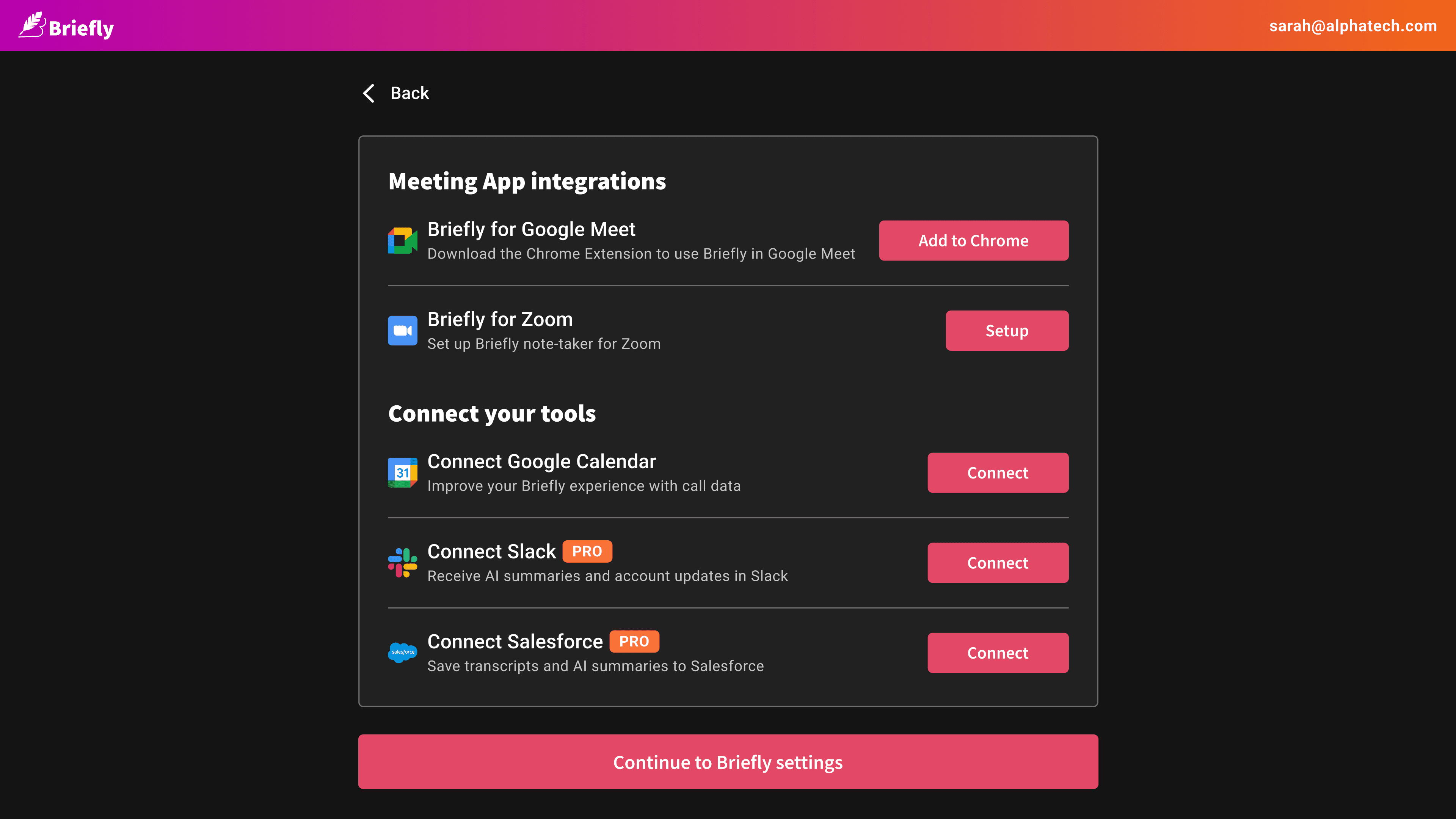
Designing the integration setup, connecting accounts, mapping fields, managing permissions, required careful UX work. It had to be simple enough that a non-technical user could do it themselves, but robust enough to handle the complexity of CRM data structures.
Brand and Marketing
Building the Brand in Parallel
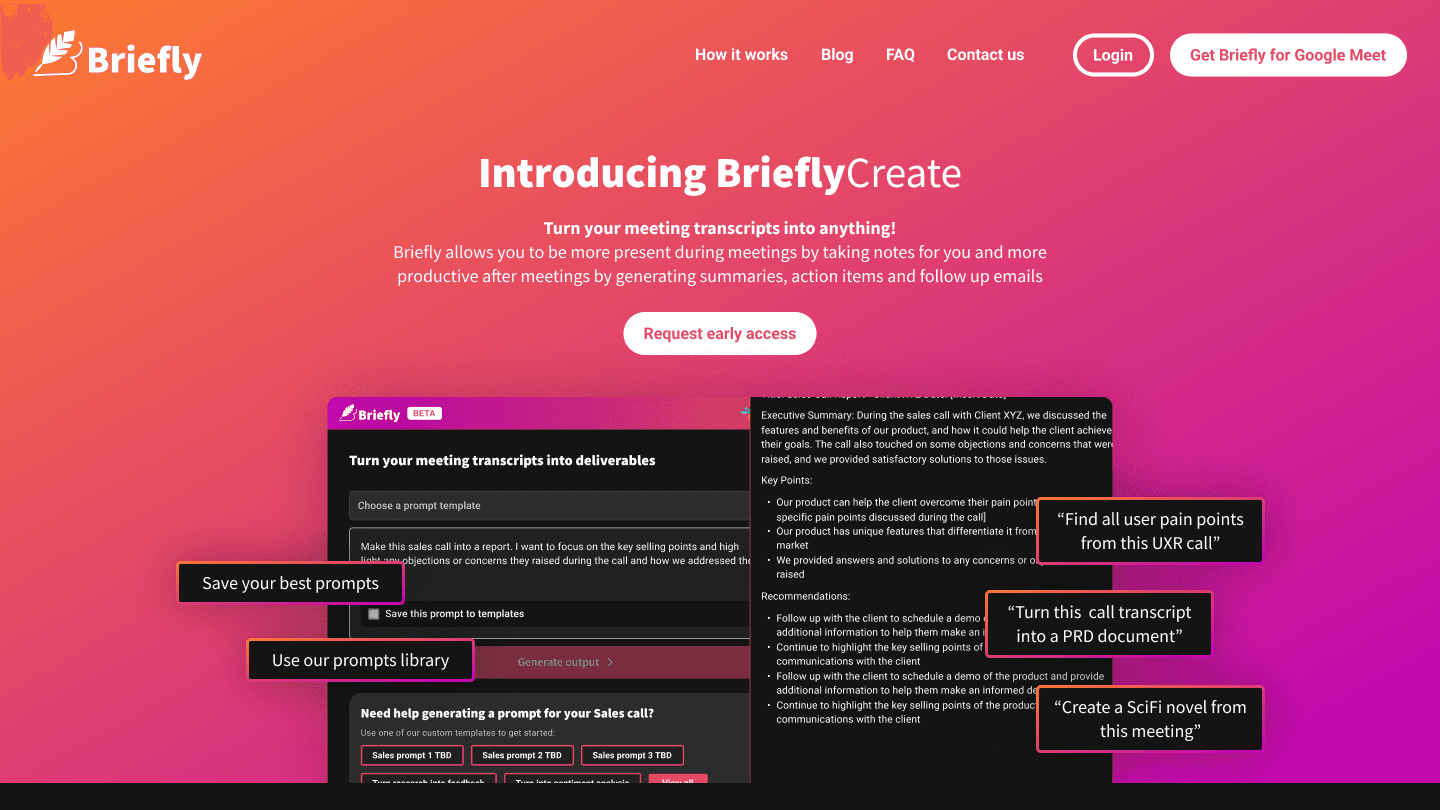
While the product was being built, so was everything around it. I designed the brand identity, the Webflow marketing site, email campaigns, and all promotional materials, including video animations built entirely inside Figma.
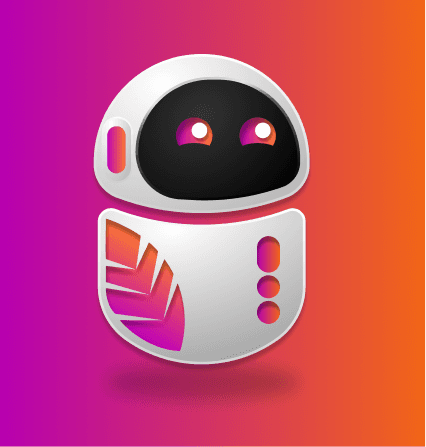
For a pre-seed startup trying to convince people to hand over their call data to an AI, the brand had to feel trustworthy and modern without feeling corporate. The dark UI with pink/magenta gradient accents was a deliberate choice, confident, a little bold, distinct in a market full of blue SaaS products.


solution
The Platform
Twelve months in, BrieflyAI was no longer an extension with a dashboard. It was a coherent platform with a clear information architecture, the extension captured, Slack delivered, the dashboard organised, and the CRM recorded.
Every surface had a job. Nothing overlapped unnecessarily. And the design system I built from the start meant that as new features shipped, they looked and felt like they belonged.
OUTCOME
What It Became
BrieflyAI went from a whiteboard sketch on the day ChatGPT launched to a live product used by thousands of customers — in under a year.
The pivot to BrieflySuccess came from the same instinct that drove the product from the start: go where the genuine problem is, not where the obvious opportunity is. Zoom was always going to build a transcription feature. They were never going to build a tool that understood the nuance of a sales call, automatically updated a Salesforce record, and delivered a useful summary to Slack before the rep had finished writing their notes.
5k+
users/
year1
4
major
integrations
12
months
0 to 1
The most important design lesson from this project: people don't trust AI results by default. Give them a way to verify and validate, and they will.
Get in
touch
Linkedin ↗
Senior & Lead product design roles.
UK or remote.
Reach out if you'd like to know more.
hello@martinasartor.com